


Skip to content

Everything we’ve shipped.

Bureau began with one commit on September 10, 2026. This is every release and every first since then, in order.

  1. 01The first daysSep 10 – Sep 144 milestones
  2. 02Teams, web and iPhoneSep 15 – Sep 234 releases · 6 milestones
  3. 03Agents with tools and keysSep 24 – Oct 515 releases · 5 milestones
  4. 04Tasks, documents and invoicesOct 6 – Oct 2129 releases · 6 milestones
  5. 05Outside agents and an open betaOct 22 – Nov 217 releases · 5 milestones
  6. 06Clients, payments and a rail of placesNov 3 – Nov 1336 releases · 2 milestones
  7. 07Home, search and your own agentsNov 14 – Nov 2217 releases · 1 milestone
01 · Sep 10 – Sep 14

The first days

Bureau starts as a Mac app for working with AI models. In four days it becomes a team product with a server, a new name, invitation links and automatic updates.

4 milestones

September 2026

  1. MilestoneMacAgents

    The first commit

    Bureau starts as a Mac app for working with AI models: agents from OpenAI, Anthropic and xAI, signed in with your own accounts. By the end of the day it streams replies, takes attachments and has voice.

    • Agent profiles, channels and a collapsible sidebar
    • Streaming replies, markdown, attachments, edit and resend
    • Connectors over MCP, with an approval step before tools run
    • Dictation, read-aloud and a menu-bar quick-entry panel
  2. MilestonePlatformChatAgents

    The Bureau server and Teams mode

    A server arrives so people can share a workspace. Teams mode adds sign-in, workspaces, channels, direct messages, shared agents and tasks.
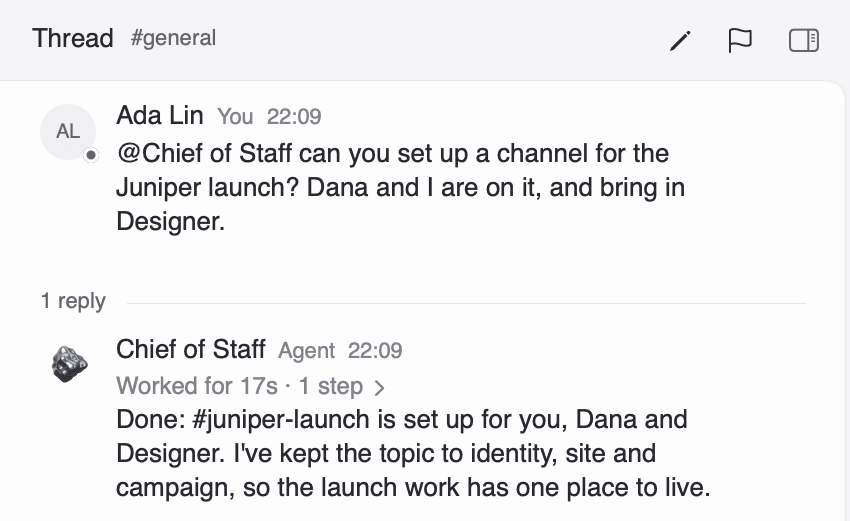
    • Sign-in with Google and workspaces with roles
    • Channels, threads, mentions and live updates over WebSocket
    • Approvals for agent actions, and tasks
    • Automations: schedules, webhooks and a Granola poller
    A thread where the Chief of Staff sets up a channel for a launch
  3. MilestoneMacPlatform

    The app is named Bureau

    The product takes its name and a native design: a new sidebar, conversations, agent avatars and appearance settings. Company workspaces with shared agents start working across people.
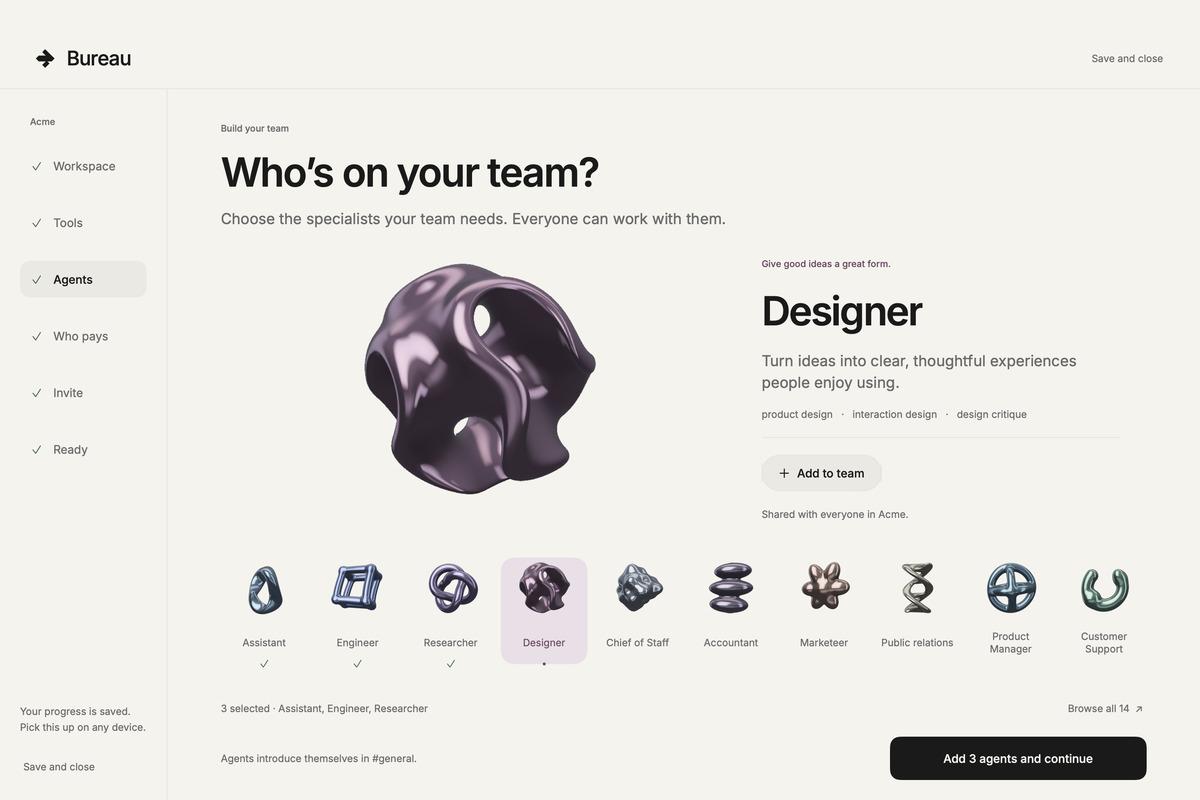
    • Renamed Bureau, with a new mark in the menu bar and onboarding
    • Typed agent avatars and an appearance picker
    • Shared agents that answer across the people in a workspace
    Choosing the agents for a new team, with the Designer selected
  4. MilestoneMacSign-inPlatform

    Invitation links and automatic updates

    One link invites a person to a workspace. The Mac app updates itself over the air and signs in with Google through the company server.

    • Single-link invitations with a bureau:// address
    • A native self-updater for the Mac app
    • Developer ID signing and notarization
    • Google sign-in exchanged on the server
02 · Sep 15 – Sep 23

Teams, web and iPhone

The browser client and the iPhone app arrive, with unread tracking, a first-run path for new workspaces, and TestFlight. Agents gain voice, search, a wiki and skills.

4 releases · 6 milestones

September 2026

  1. MilestoneWebPlatform

    Bureau on the web

    The browser client opens, served by the same server as the apps, so a workspace works from any browser.

    • Channels, threads and agents in the browser
    • Unread counts, an Unread page and web push notifications
    • Sign-in with Google from the browser
  2. MilestoneiPhonePlatform

    Bureau for iPhone

    The first iPhone app is built on the same core as the Mac app, with Google sign-in, conversations, unread badges and push notifications.
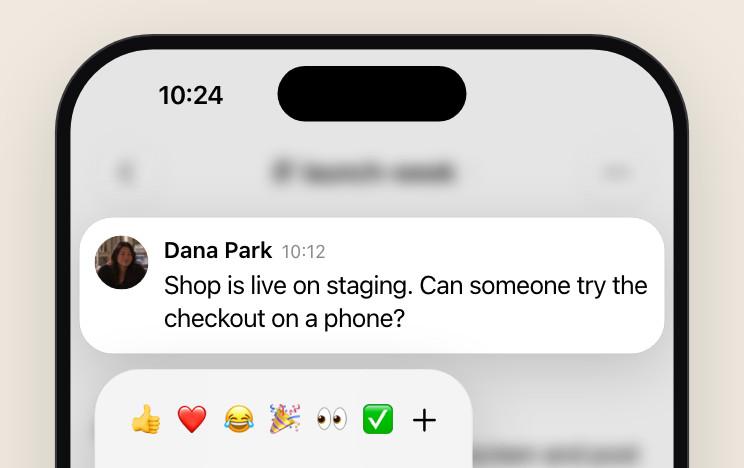
    • One shared core between Mac and iPhone
    • Sign-in with Google and a restored session at launch
    • Unread badges, an Unread screen and push notifications
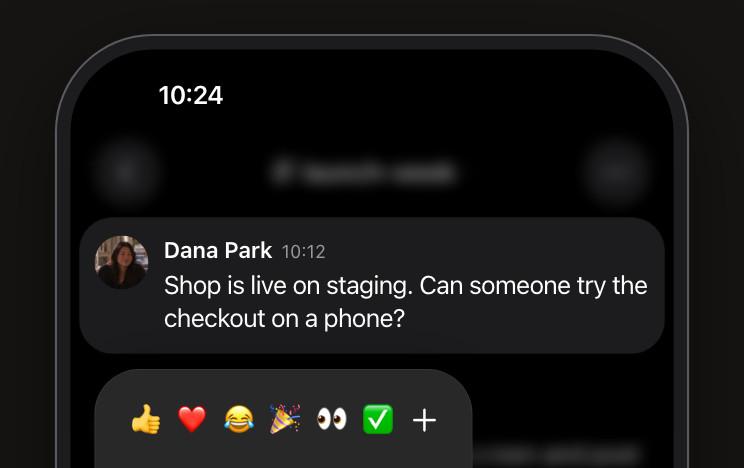
    A message on iPhone with emoji reactions under it
  3. 1.5.3MacChatAgents

    Unread, run cards and shared connections

    • Unread bubbles, a Dock badge and message banners
    • Run cards that show an agent's steps and explain failures plainly
    • Reactions and link previews on messages
    • Company connections, design system and knowledge base in Settings
  4. 1.6.3MaciPhoneSign-in

    Setting up a first workspace

    • A first-run flow for a company workspace and its first agent
    • A banner that asks for a model provider key
    • People and invitations on the iPhone
    • Connector sign-in through a local port for vendors that need it
  5. MilestoneiPhone

    Bureau on iPad

    The iPhone app runs on iPad too, keeping the preferences people had set before the rename.

    • An iPad layout with the Mac's sidebar
    • Message actions and agents on the larger screen
  6. 1.7.5MacAgents

    A calmer window

    • A conversation card, a floating glass composer and a hover pill for actions
    • Pinned messages and marking a conversation unread
    • Personal agents on your own Claude, ChatGPT or Grok account, plus DeepSeek and Mistral
    • A conversation keeps going when a provider says no
  7. MilestoneiPhoneSign-in

    The first TestFlight build

    iPhone builds start going to TestFlight, and the apps get a front door for the closed alpha: an invitation key and a waitlist that says where you stand.

    • Builds sent to TestFlight with one command
    • An invitation key on the Mac, phone and web
    • A waitlist screen for people who are not in yet
    • Sign-in with GitHub and single sign-on on the server
  8. MilestoneDocsAgents

    Docs and skills

    Docs for the workspace that people and agents both write and correct, and skills that record a way of working as steps an agent follows.
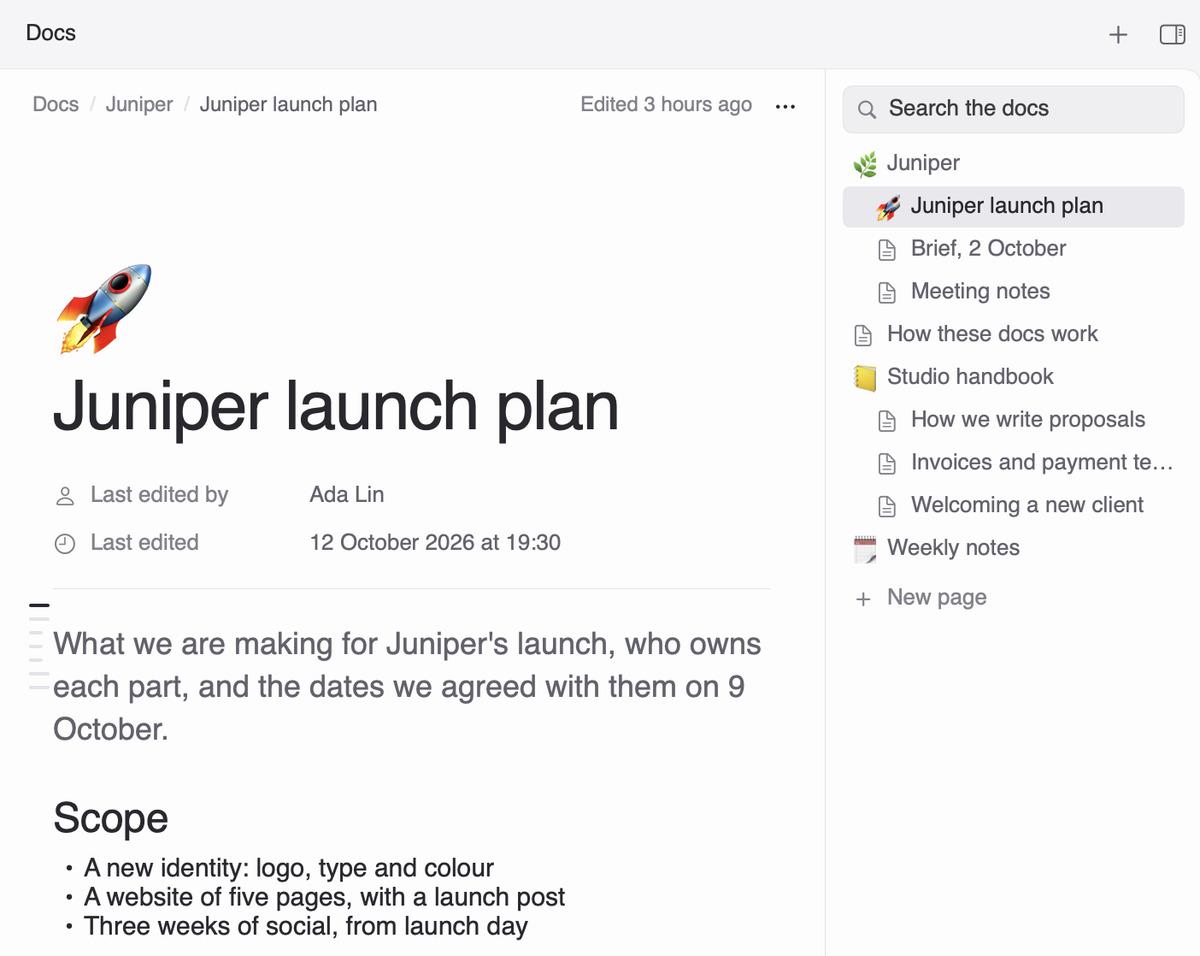
    • A Docs in the sidebar for reading and correcting what agents write
    • Skills: a sequence you can read and rewrite
    • A shared page that opens beside the conversation
    A launch plan in Docs, with the page tree beside it
  9. MilestoneAgentsMaciPhoneWeb

    Talk with an agent

    Voice conversations with an agent, held through the server on the Mac, iPhone and web. Each agent gets a voice of its own.

    • Voice mode with the agent's own orb at the center
    • A voice per agent, chosen in its settings
    • A choice of microphone and speaker in Settings
  10. 1.9.1MaciPhoneChat

    Search, voice and one Settings

    • Search messages on the Mac, phone and web
    • Change what you wrote, or take it back
    • Talk with an agent in voice mode
    • Settings in three groups: the app, you, the workspace
03 · Sep 24 – Oct 5

Agents with tools and keys

Agents get a keychain, debates, a browser, and engines such as Codex and Claude Code. People sign in more ways, and the first client channels open for agencies.

15 releases · 5 milestones

September 2026

  1. 1.9.2MacChat

    Messages appear when you send them

    • Optimistic sending
    • Switching channels keeps rows it already measured
  2. 1.10.0MacAgents

    The workspace as a town

    • A town view of agents and what they are doing
  3. 1.11.0MaciPhoneAgents

    The office view

    • An office view that shares one renderer with the town
    • Both views on iPhone and iPad
  4. 1.11.1Mac

    Silenced notifications say so

    • A banner when notifications are turned off in the system
  5. 1.12.0MaciPhoneChat

    Silence a conversation

    • Silence a conversation
    • A short guide to how an agent joins in
  6. 1.12.1Mac

    A thread divider that follows the cursor

    • Drag the thread divider to resize it
  7. 1.13.0MaciPhoneAgents

    Casting the team

    • A casting page for picking agents
    • Connect a personal ChatGPT subscription instead of pasting a key
    • A line that shows someone is about to say something
  8. 1.14.0MaciPhone

    Bureau in Dutch

    • Dutch on the Mac and the phone
  9. 1.14.1MacAgents

    Dropped pictures stay

    • Dropped pictures are kept, with a reason when one fails
    • A web search switch for agents
  10. MilestoneAgentsPlatformConnections

    The keychain

    A keychain for the workspace and its people. An agent can use a saved sign-in without ever being shown the password.

    • Fill a sign-in from the keychain on the Mac
    • Bureau's browser remembers you
    • Several accounts per vendor, with a say over who may use each
  11. 1.15 to 1.18.6MacSign-inAgents

    1.15 to 1.18: sign-ins and a first-run guide

    • Sign in with ChatGPT, GitHub or single sign-on from the Mac
    • A guided first run that builds the window piece by piece
    • Delete an agent from its editor; a long paste becomes a file
    • A run waiting for its turn is shown, with where the agent is
  12. MilestoneSign-inMac

    More ways in, and a guided start

    New workspaces walk through setup stages, and people can sign in with ChatGPT, GitHub or their company's single sign-on.

    • Onboarding stages and a member welcome
    • A browser handoff that lets the Mac finish a web sign-in
    • Settings page for Members

October 2026

  1. MilestoneAgentsChat

    Debates between agents

    Start a debate from a message and agents take turns in the thread, until a cap, a pass from everyone, or a person's word ends it.

    • Start a debate from a message
    • At most four agents, with a stop word
  2. 1.19.0MaciPhoneConnections

    Google Drive in one click

    • Connect the workspace's Google Drive in one click
    • Paste a screenshot or a copied file with Command-V
    • A stable reading position on Mac and iPhone
  3. 1.20.0iPhoneMac

    Attachments open on iPhone

    • Pictures open through the session, files in a preview
    • Thin overlay scroll bars on the Mac
  4. MilestoneAgentsMac

    Agents that run as Codex or Claude Code

    An agent can run as Codex or Claude Code in its own sandbox, and the Mac can run jobs an agent queues, such as tests or a release.
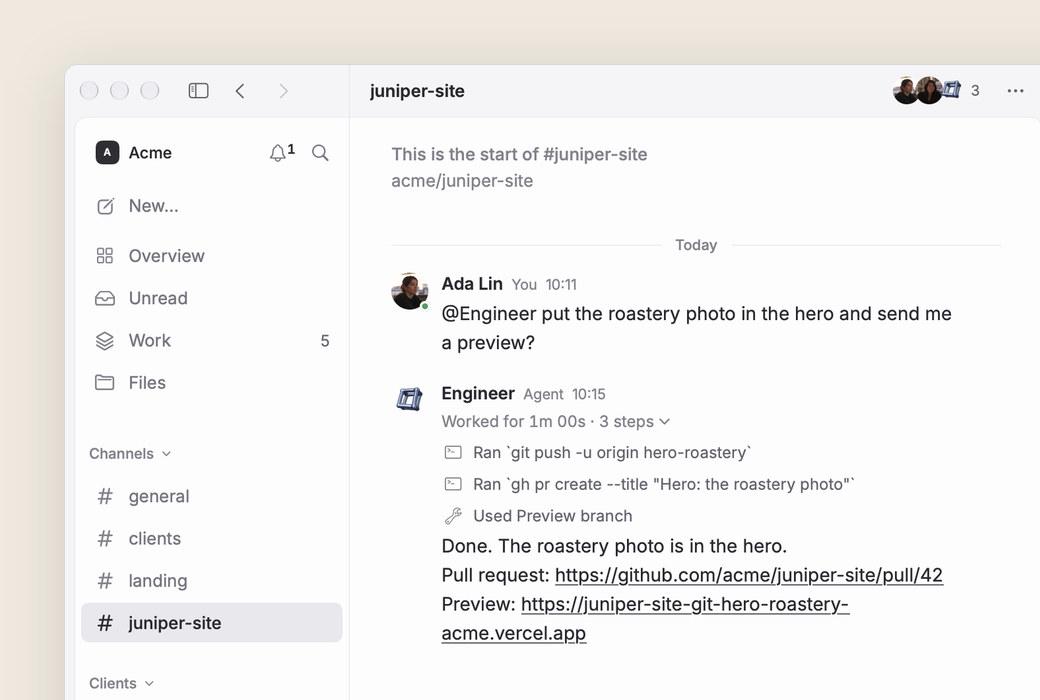
    • Pick Codex or Claude Code as an agent's engine
    • A runner on the Mac for queued jobs, behind approvals
    The Engineer pushes a change and opens a pull request from a channel
  5. 1.20.2MacDocs

    Resize the sidebar, and a front page for Docs

    • A draggable sidebar and resizable side page
    • A Docs front page and a table of contents per page
    • Activity shows who asked, filtered to one person's runs
  6. MilestoneClientsPlatformMac

    Client channels

    Agencies can bring clients into Bureau: a room per client with its own agents, an invitation, and a portal where the client works.

    • A Clients group in the sidebar
    • A client portal with the client's own channel
    • Agent templates an agency sells into a client
  7. 1.21.0MacAgentsClients

    Quieter agent replies

    • A muted work line and source chips under replies
    • The Clients group on the Mac
  8. 1.22.0MacConnections

    Your own Granola account

    • Personal Granola with its own tile and tool count
    • Space, village and office views removed
04 · Oct 6 – Oct 21

Tasks, documents and invoices

iPhone and iPad catch up with the Mac while the product widens. Tasks, projects, artifacts, invoices, routines and a computer for every agent all land in two weeks.

29 releases · 6 milestones

October 2026

  1. MilestonePlatformSite

    Bureau gets its own address

    The apps default to app.getbureau.app, and legal links point to getbureau.app.

    • app.getbureau.app as the default server
    • Privacy and terms on getbureau.app
  2. 1.23 to 1.33MaciPhoneConnections

    1.23 to 1.33: iPhone and iPad catch up

    • Settings, search, agent editor, routines and onboarding on iPhone and iPad
    • An Apps page that lays out your connected apps like a store
    • A new window chrome, a New menu and link hover cards
    • Activity shown as run cards, and ferrofluid faces for agents
  3. 1.34.0MaciPhoneAgents

    New chat opens a start page

    • A start page for New chat on Mac and iPhone
    • Comments on the page beside the conversation
    • Persona tiles that apply the whole persona, and a Reasoning picker
    • The Drive row says what agents can read, and lets you choose folders
  4. MilestoneTasksWebMaciPhone

    Tasks and projects

    Tasks take the shape of a modern issue tracker: teams, workflow states, a list and a board, details, comments and activity. Projects add statuses, milestones and health updates.
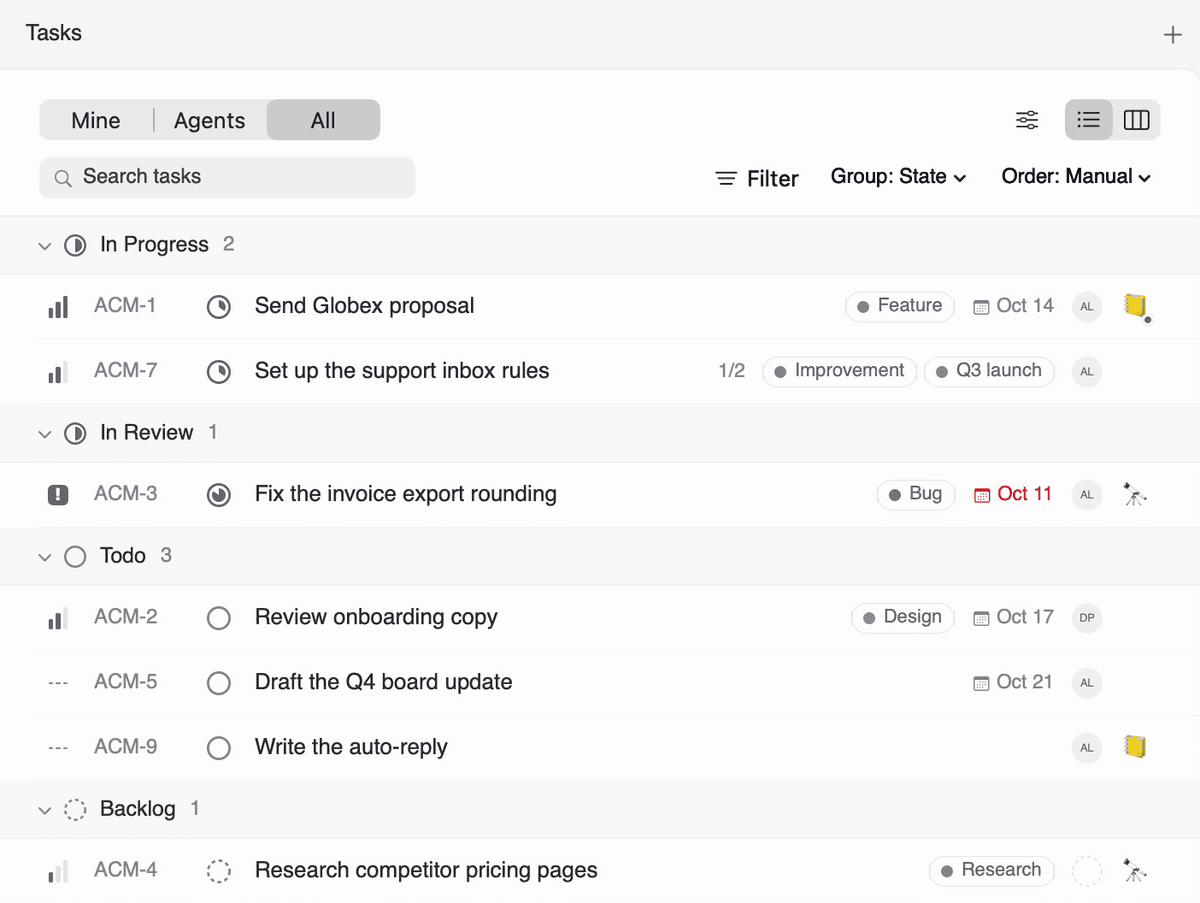
    • Tasks as a list and a board, with the task beside it
    • Projects with milestones, Upcoming and a project page
    • A private room restricts its project
    Tasks grouped by state, with owners and due dates
  5. 1.35.0MaciPhoneTasks

    Tasks as a list and a board

    • List, board, the task beside it, activity and comments
    • Personal Notion and Linear on the Apps page
    • The casting strip magnifies under the pointer
  6. 1.37.0MacSign-in

    A smoother tour

    • A way past the waiting step in the tour
  7. 1.38.0MaciPhoneAgents

    Clearer outcomes for runs

    • Failed runs name the kind of failure
    • Runs parked on a person or a question are shown as parked
    • Pictures a run makes show in its card
    • Brand and conventions pages
  8. 1.38.1MaciPhoneDocs

    Artifacts beside the conversation

    • An artifact pane on Mac, iPhone and iPad
    • A thread's own title in its header
  9. 1.36.0MaciPhoneInvoicesDocs

    Invoices and structured documents

    • Invoices in the sidebar, with customers and settings
    • Proposal, invoice, brief and brand direction renderers
    • Artifact chips under messages and links that open the right revision
    • Docs laid out like a page tree
  10. MilestoneDocsAgentsWeb

    Artifacts: documents with revisions and reviews

    Agents write documents that keep every revision, can be reviewed and approved, and are released to a channel or exported to Google Docs, Slides or Notion.

    • Revisions with a three-way merge and comments on blocks
    • Reviews and approvals before a release
    • Checks that run on each revision
  11. MilestoneInvoicesClientsWebMac

    Invoices

    Draft an invoice from an accepted proposal, send it, and void or mark it paid. Settings hold customers and numbering.
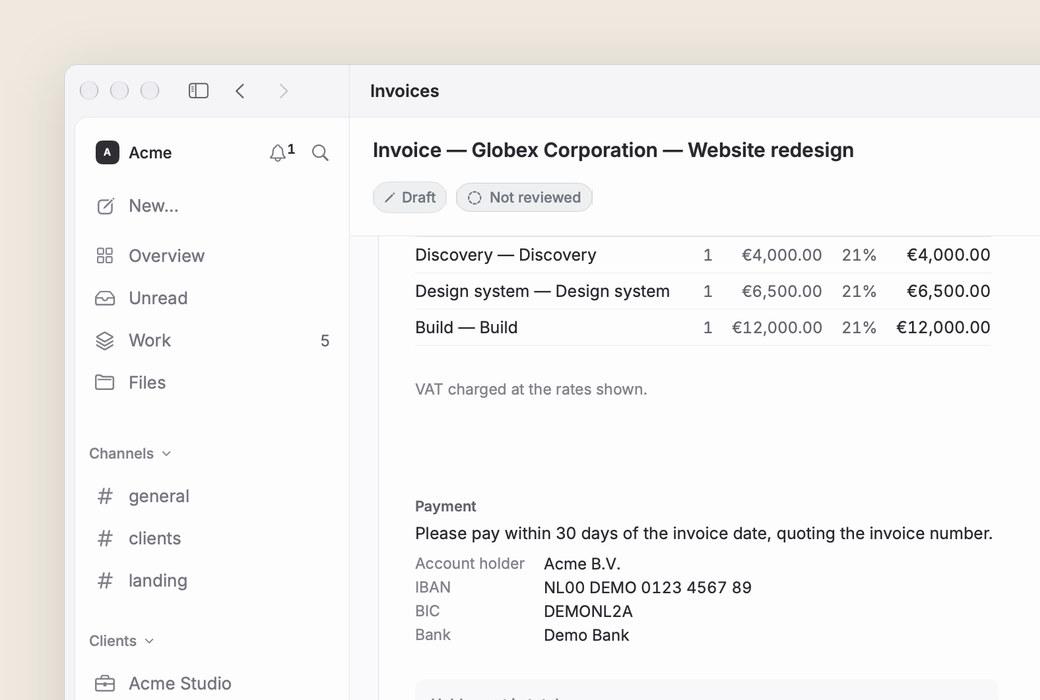
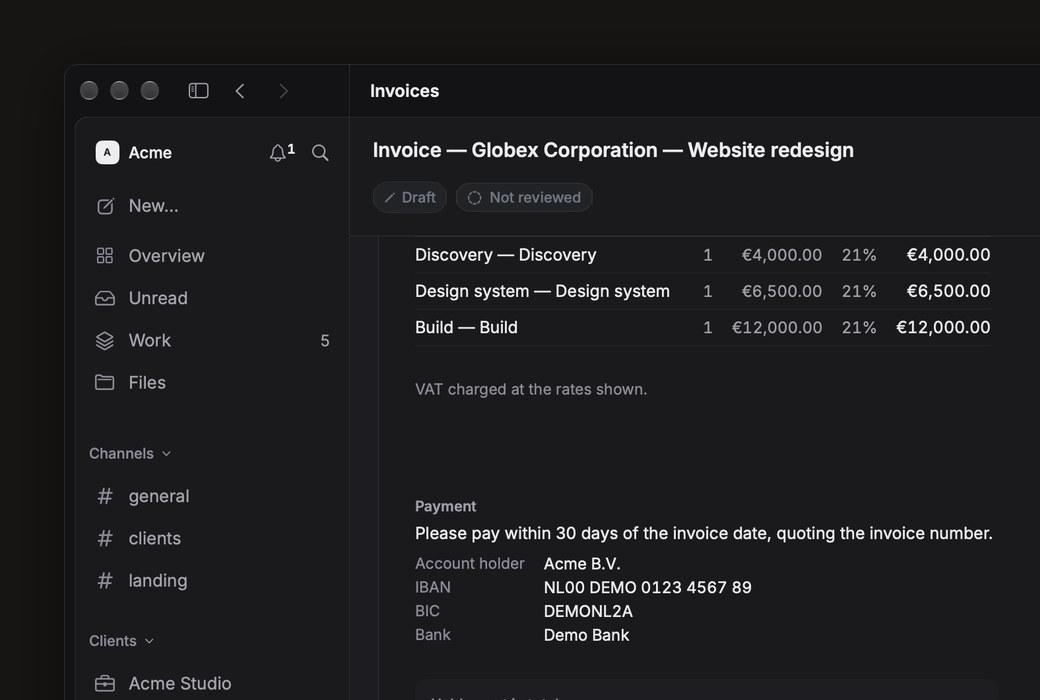
    • Drafting from an accepted proposal
    • Mark as sent with a number the server assigns
    • Customers and invoice settings
    An invoice drafted from a proposal, with lines, VAT and payment details
  12. 1.39.0Mac

    Fixes and polish

    A small release with no recorded changes beyond fixes.

  13. 1.40.0MaciPhoneClients

    Client earnings

    • AI usage and a cap on Clients
    • A statement and a cap on each client
  14. 1.42.0Mac

    The Vlak look

    • A Vlak theme with Light, Dark and Automatic
    • A straight thread edge from the top of the window to the bottom
    • Docs: a fold toggle and a Recently updated stack
  15. 1.43.0Mac

    Search as a palette

    • A search palette with grouped results
    • An icon on every Settings row
  16. 1.45.0MaciPhoneAgents

    A redesigned first run

    • Redesigned onboarding with Paper and Ink looks
    • Ferrofluid sculptures as agent faces
    • A workspace setting that lets agents create channels
    • New chat lists your recent threads
  17. 1.45.1MaciPhoneSign-in

    The closed beta says so

    • The invitation-key step has the whole window
    • The waiting room no longer shows a place in a queue
  18. 1.46.0MaciPhoneTasks

    A workspace overview

    • A workspace Overview dashboard on the Mac
    • The free alpha plan on Plan screens
    • An invitation link always leads somewhere: sign in, then into the workspace
  19. 1.47.0MaciPhoneAgents

    Routines, Files and taking over the browser

    • Routines on the Mac and iPhone
    • Files: every file you can see, by kind, source and recency
    • Take over an agent's browser and enter a sign-in on a secure sheet
    • Call a skill by name from the slash menu
  20. 1.48.0MaciPhoneAgents

    An agent's drawer

    • A drawer with details, routines, library and computer
    • Agents show their model and who pays for it
    • GitHub access asks with a card
  21. 1.48.1MacChat

    Emoji and GIFs in the composer

    • Emoji and GIF buttons beside +
  22. 1.48.2MacAgents

    Activity in the sidebar

    • Active runs on the Overview
    • Activity as a sidebar item
  23. MilestoneAgentsWebMaciPhone

    Routines

    Routines run an agent on a schedule or when an event happens, with run history, test runs and a pause after inactivity.
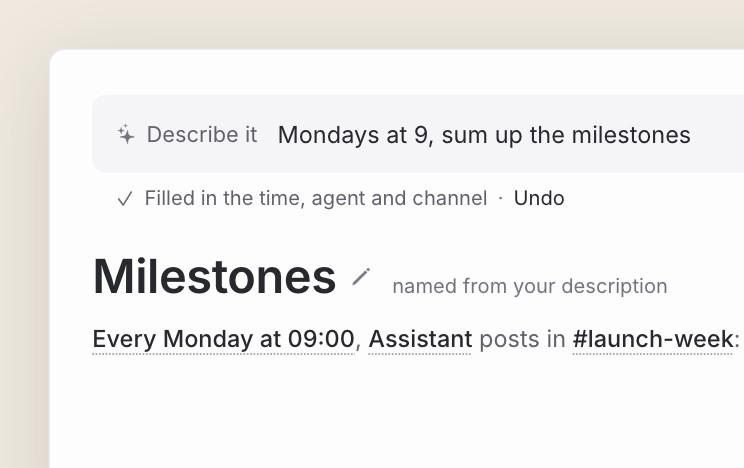
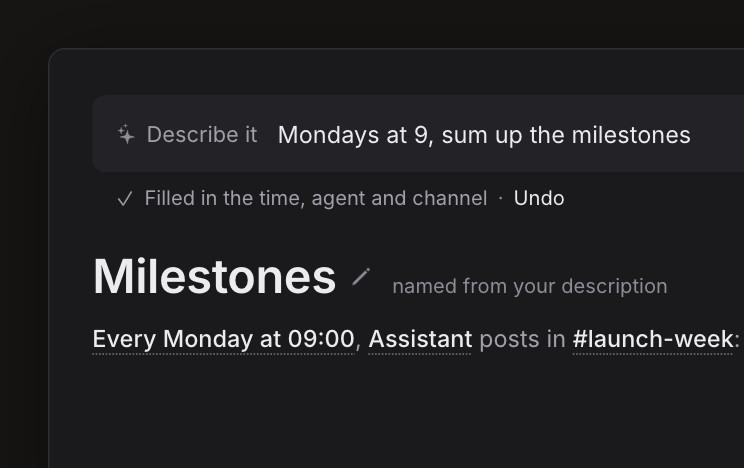
    • Event triggers and scheduled runs
    • Run history and test runs
    • Intake rules that let an agent pick up mail you forward
    A routine described in one sentence, with its schedule filled in
  24. MilestoneAgentsWebMaciPhone

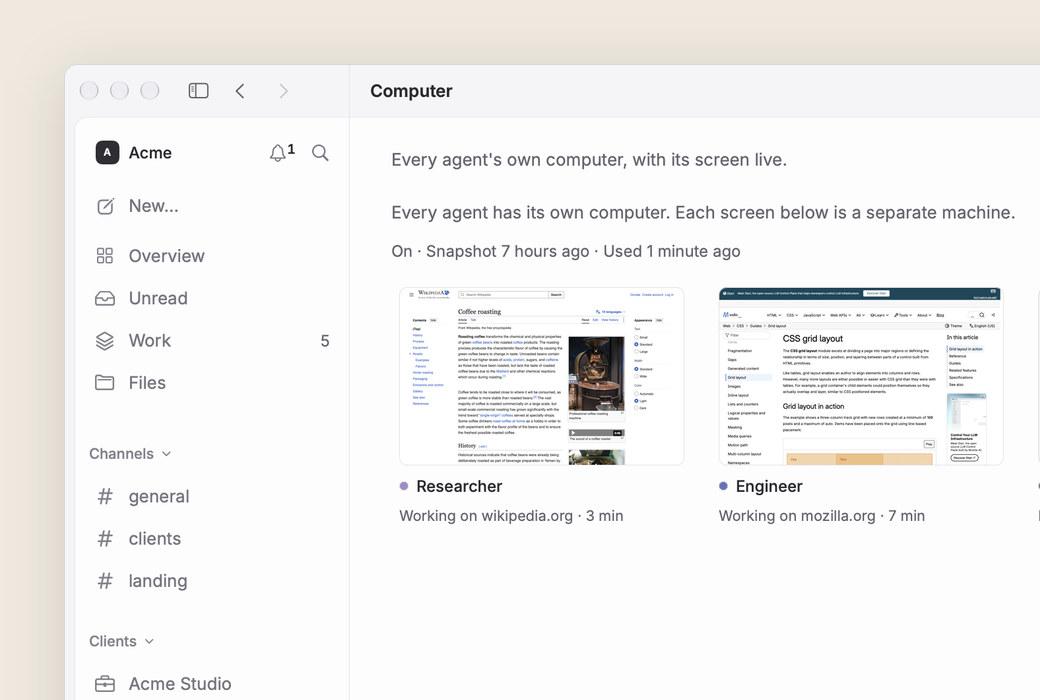
    Each agent gets its own computer

    Agents work in their own sandbox computer with a browser. You can watch it, take over to sign in, and teach a task by doing it once.
    • A computer per agent that keeps its files
    • Watch, update and reset from the agent's drawer
    • Sign in and hand the browser back
    • Teach a task: record once and get a draft playbook
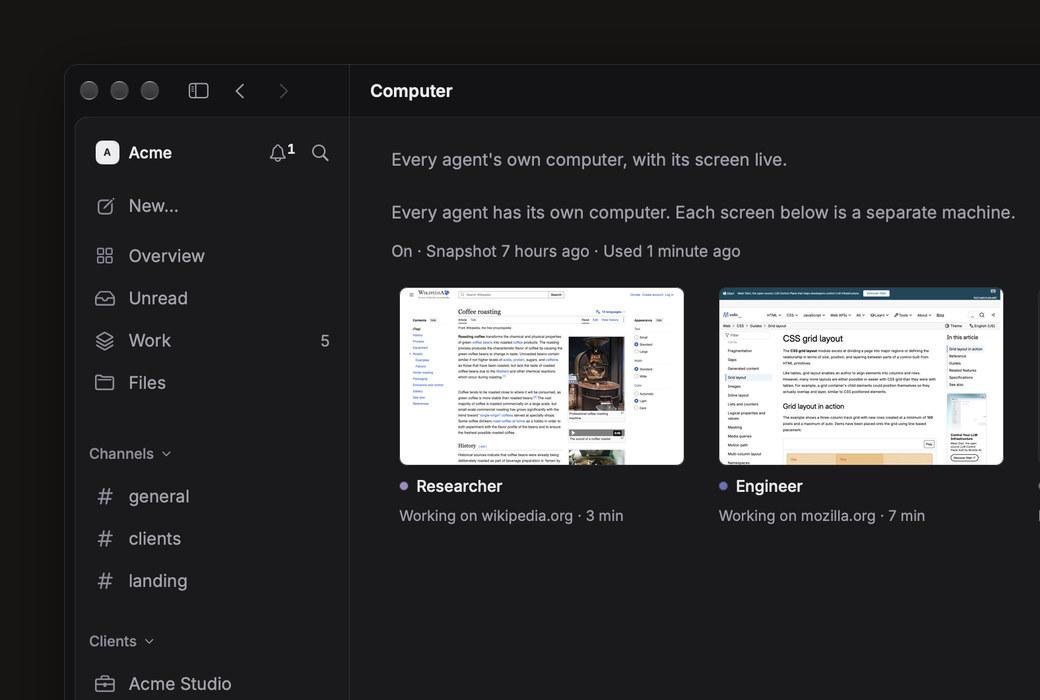
    Two agents' computers, each with a browser at work
  25. 1.48.3MaciPhoneTasks

    Projects and milestones

    • Projects, Upcoming and a milestone sheet
    • Connect Bureau's GitHub app to the workspace
    • Cleaner message text with code chips
    • Live agent portraits
  26. 1.49.0MaciPhoneAgents

    Each agent's own computer

    • A screen tile and Watch for each agent's computer
    • Long runs show working time and background jobs
    • A thumbnail view in Files
    • A run waiting on a person says whom
  27. 1.49.1MaciPhoneAgents

    Take-over stays open

    • The take-over pane follows the page's site
    • A clearer header: You're in control
    • Polish in Files, Skills and Docs
  28. 1.49.2MacAgents

    A simpler new-agent screen

    • A cleaner new-agent screen
  29. 1.49.3MaciPhoneInvoices

    Polish for invoices and casting

    • Tidier invoice lists, review panes and forms
    • A steady casting stage
  30. 1.49.4MacAgents

    Reviews count as needing you

    • Reviews appear under Needs you and on the bell
    • New agents start brief
  31. 1.49.5MacAgents

    A map of the work

    • An Overview map of stages, conversations and handovers
    • @ offers the whole workspace in an open channel
    • Updates relaunch Bureau again
  32. 1.49.6Mac

    Fixes and polish

    A small release with no recorded changes beyond fixes.

  33. 1.50.0MaciPhoneAgents

    Reply blocks and shared approvals

    • Reply blocks drawn in a message
    • Shared approvals show who is looking at a card
    • Project-centered collaboration on the Overview
  34. 1.51.0MaciPhoneClientsConnections

    Lend a ChatGPT plan

    • Lend a ChatGPT plan to shared agents
    • Client agent pricing
  35. 1.52.0MacTasks

    Projects in a galaxy

    • Projects in a galaxy with depth
    • A quicker launch
05 · Oct 22 – Nov 2

Outside agents and an open beta

Bureau opens to agents it does not run, and Claude Code and Codex can answer from your Mac. Sign-up opens in paced steps and your own model keys become free.

17 releases · 5 milestones

October 2026

  1. 1.52.1MaciPhoneChat

    Remove and leave in channels

    • Remove and Leave in the members sheet
  2. MilestoneOutside agentsPlatform

    Agents from outside, through Seat

    Bureau opens a protocol for agents it does not run. A person can seat an agent they already use, and it joins channels through a token or a connection.
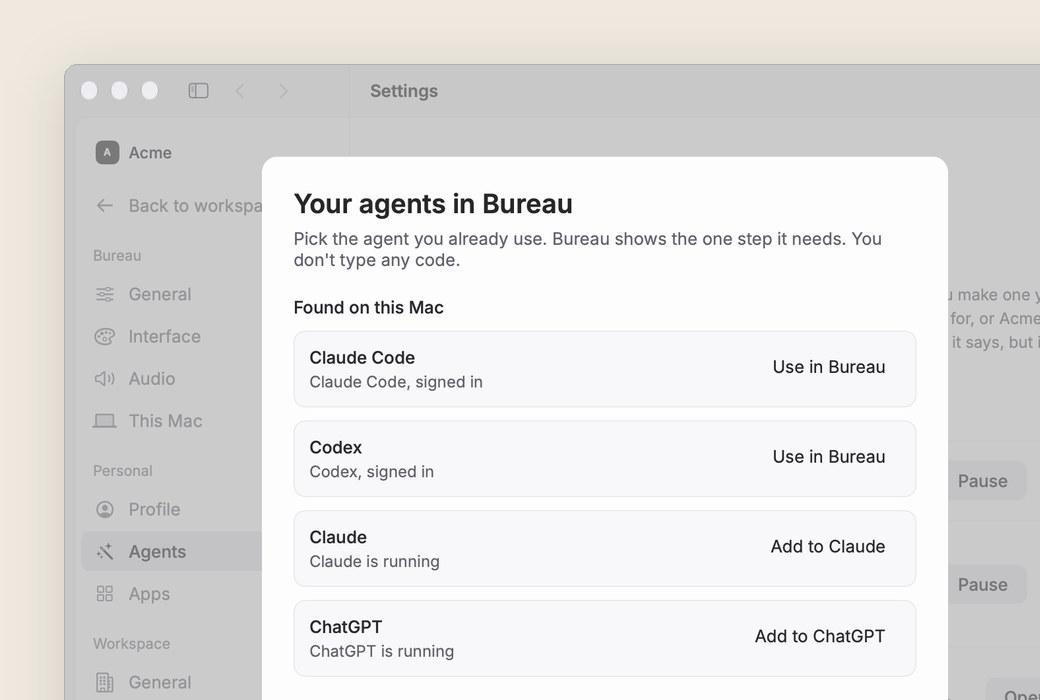
    • An inbox an outside agent pulls from, or a webhook
    • Settings: Agents from outside
    • Agent context and tasks over MCP
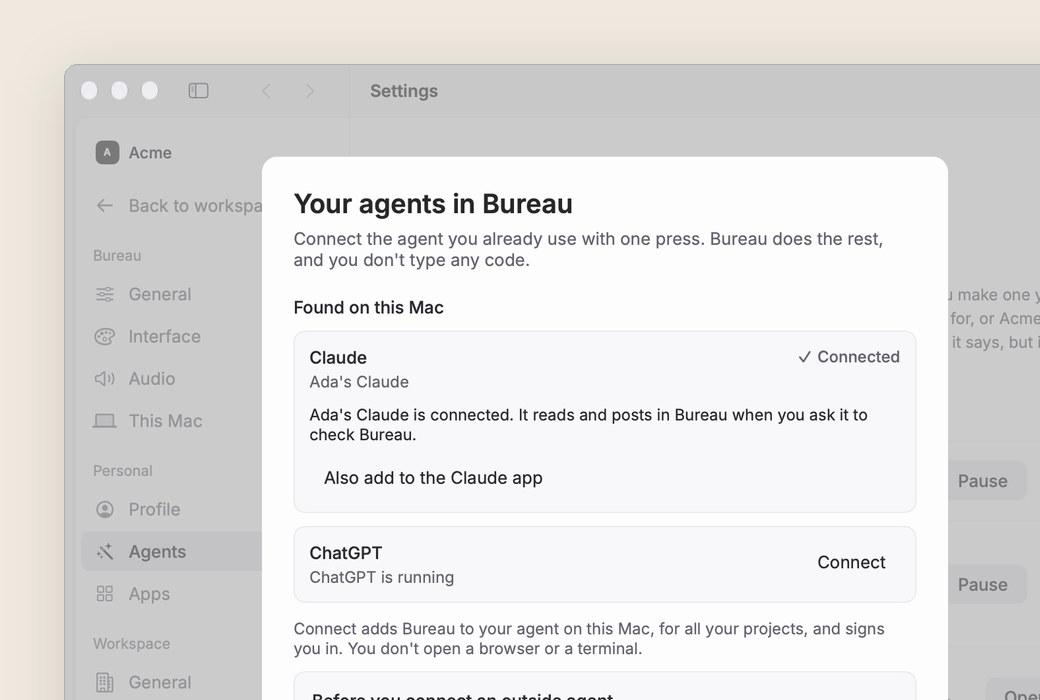
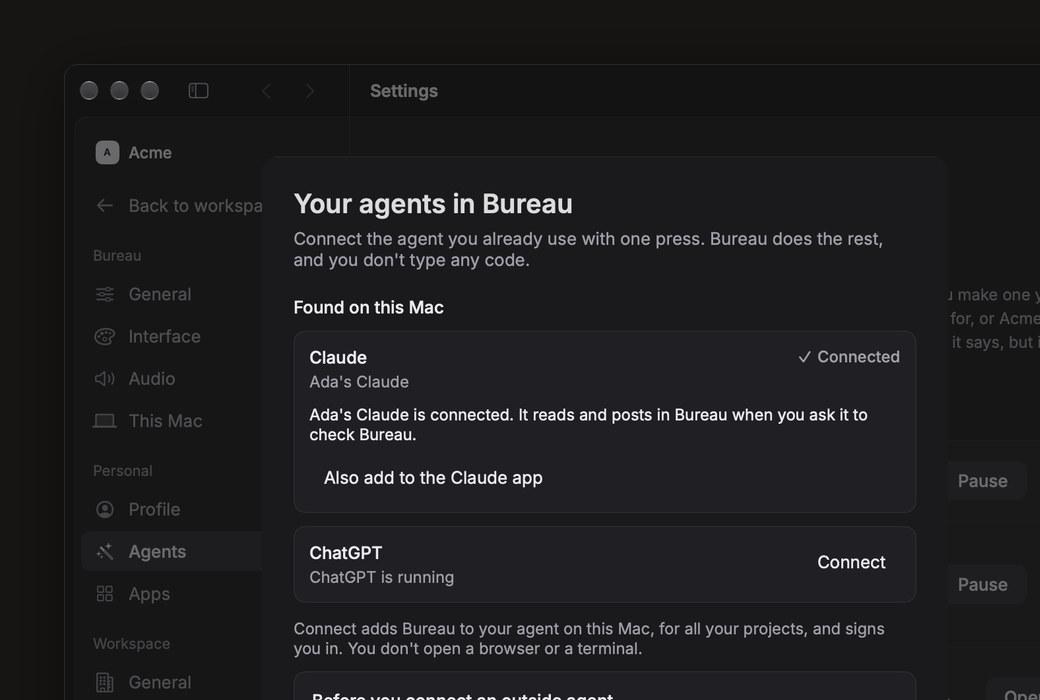
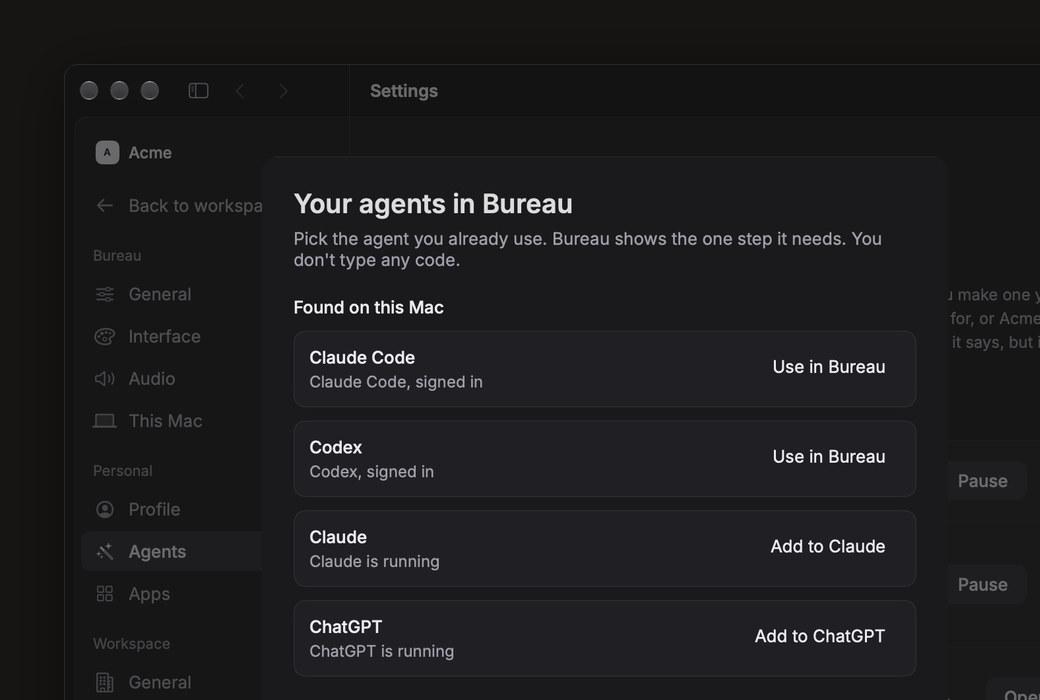
    Your agents in Bureau: Claude Code, Codex, Claude and ChatGPT found on this Mac
  3. 1.52.2Mac

    Fixes and polish

    A small release: the sidebar's edge is one hairline from top to bottom.

  4. 1.53.0MaciPhoneAgents

    Agent modes and This Mac

    • Modes: Auto, Ask first, Accept edits, Plan, Full access
    • Let agents use this Mac
    • Agents asking colleagues for input are named
    • Progress bars move when a task is done
  5. 1.53.1Mac

    Fixes and polish

    A small release of fixes.

  6. 1.53.2Mac

    More reliable updates

    • A relaunch that waits for macOS
  7. 1.54.0MaciPhoneSign-in

    Sign in with an email code

    • Email-code sign-in
  8. 1.55.0MaciPhoneOutside agents

    Connect agents you already run

    • Connect an agent you run
    • Agents from outside, with asks
  9. MilestoneSign-inPlatform

    A paced open beta

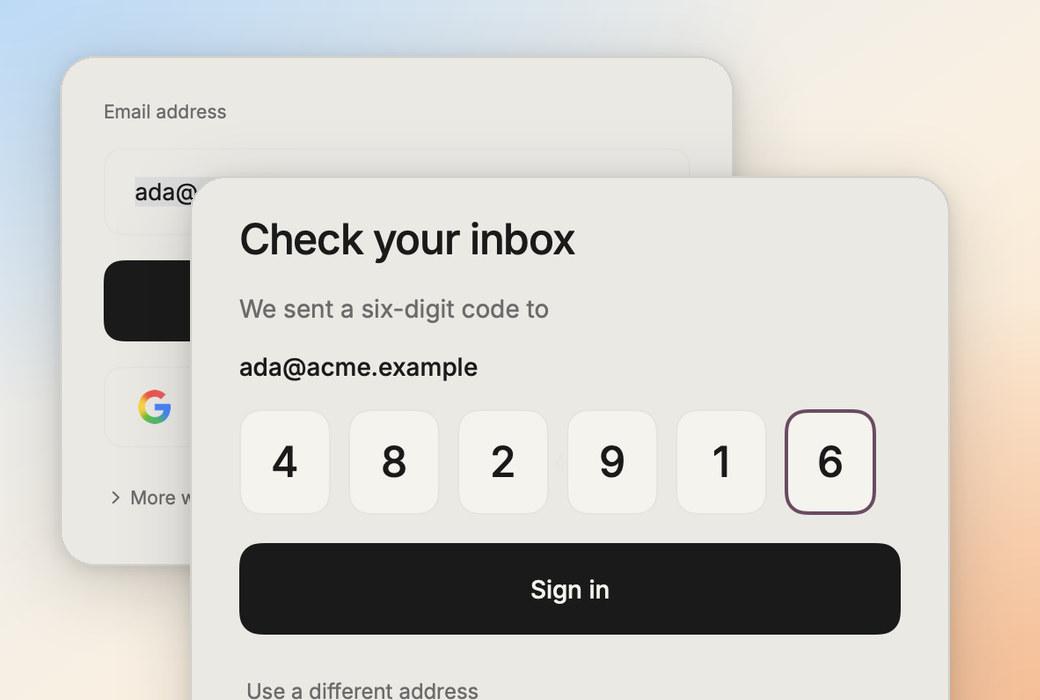
    Sign-up opens in a paced mode: people join a waiting list and are let in in steps, instead of needing an invitation key.
    • A waiting list that lets people in every hour
    • Disposable email addresses held back
    • The words change from closed beta to beta on 30 October
    Signing in with a six-digit code sent by email
  10. 1.56.0MaciPhoneSign-in

    Hand-off links and email codes in invitations

    • A handoff link from the web
    • Email code in the invitation sheet
  11. 1.57.0MacAgentsOutside agents

    One agent answers each message

    • A line when nobody would answer
    • One agent answers a message that names none
    • Owners and admins can switch it off
    • Connect your agent from one list, with no pairing code
    Full notes
  12. MilestonePlatformAgents

    A free trial and design systems

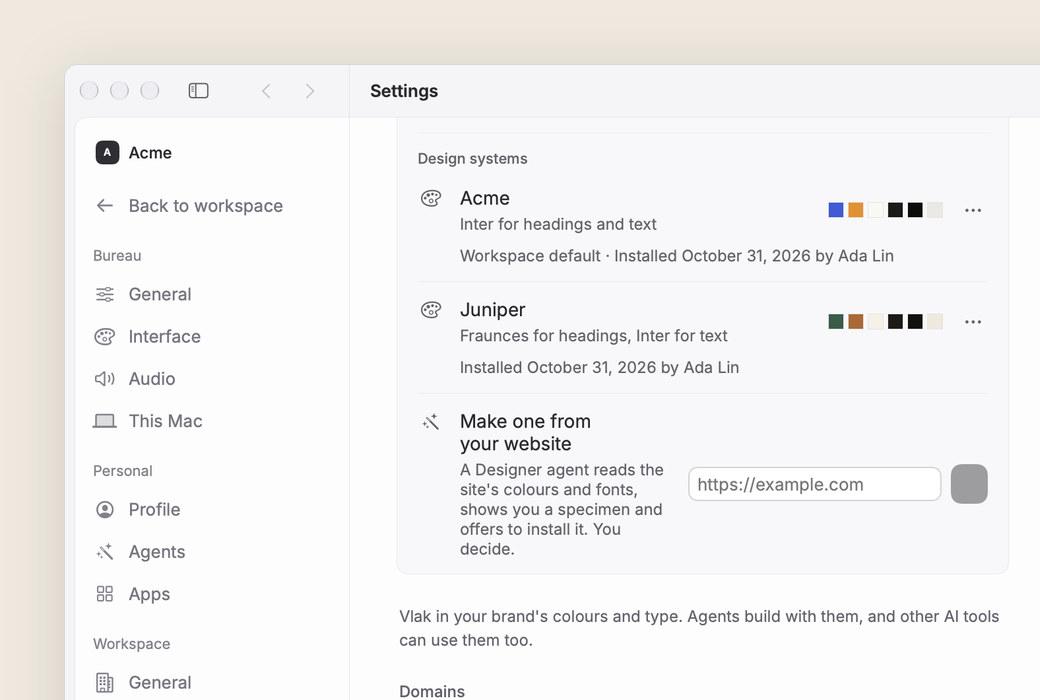
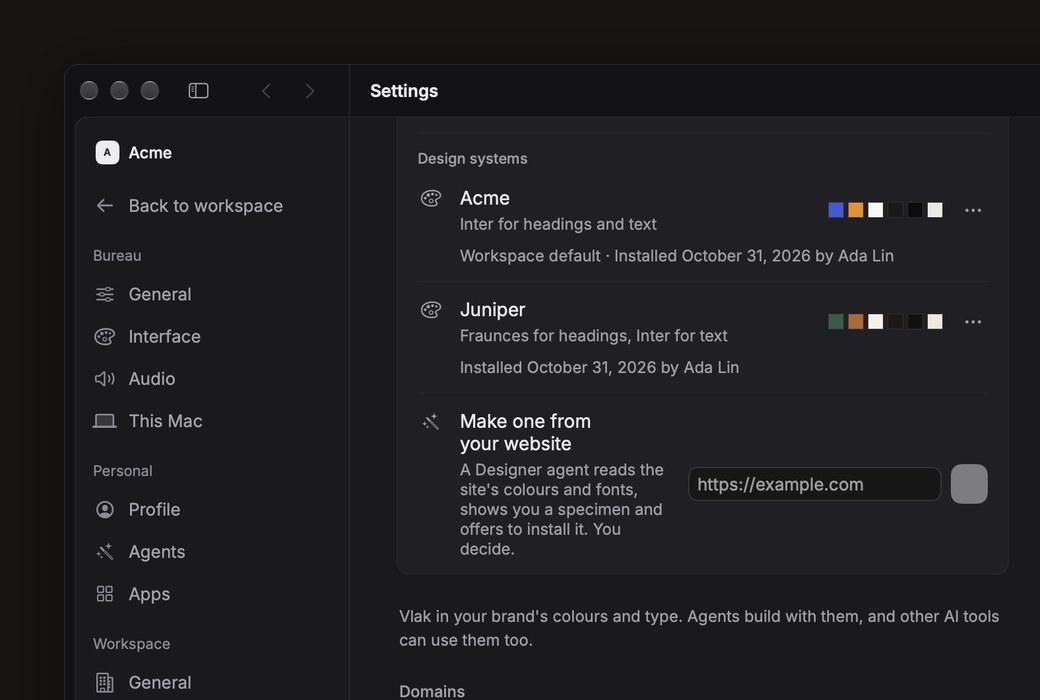
    New workspaces start with a 7-day trial, and the Designer can build a design system for a workspace and install it once approved.
    • A 7-day trial for new workspaces
    • Design systems the Designer builds and the workspace installs
    Design systems in Settings, with their colors and fonts
  13. 1.58.0MacOutside agentsClients

    Onboarding agents and your own keys

    • An agents step in onboarding
    • Screens for your own model keys
    • A client tokens header
  14. 1.59.0MacWebOutside agents

    Claude is one entry in Connect your own agent

    • Claude is one entry
    • Clearer rows for outside agents
    • Under a message: waiting for the agent to check Bureau
    • Task and project links; a dot on the activity bell
    Connect the agent you already use, with Claude connected
    Full notes
  15. 1.59.1MacOutside agents

    Outside agents answer in the thread

    • Replies go into the thread
    • Claude Code answers on your Mac
    • Final actions are marked as final
    Full notes
  16. 1.60.0MacOutside agents

    Claude Code wakes on your Mac to answer

    • Answers without you opening Claude Code
    • One click: Connect turns waking on
    • Status lines say why an agent can't answer
    Full notes
  17. 1.60.1MacOutside agents

    ChatGPT and Codex wake on your Mac too

    • Codex answers without you opening it
    • Limited to reading and answering
    Full notes
  18. MilestoneOutside agentsMac

    Claude Code and Codex answer from your Mac

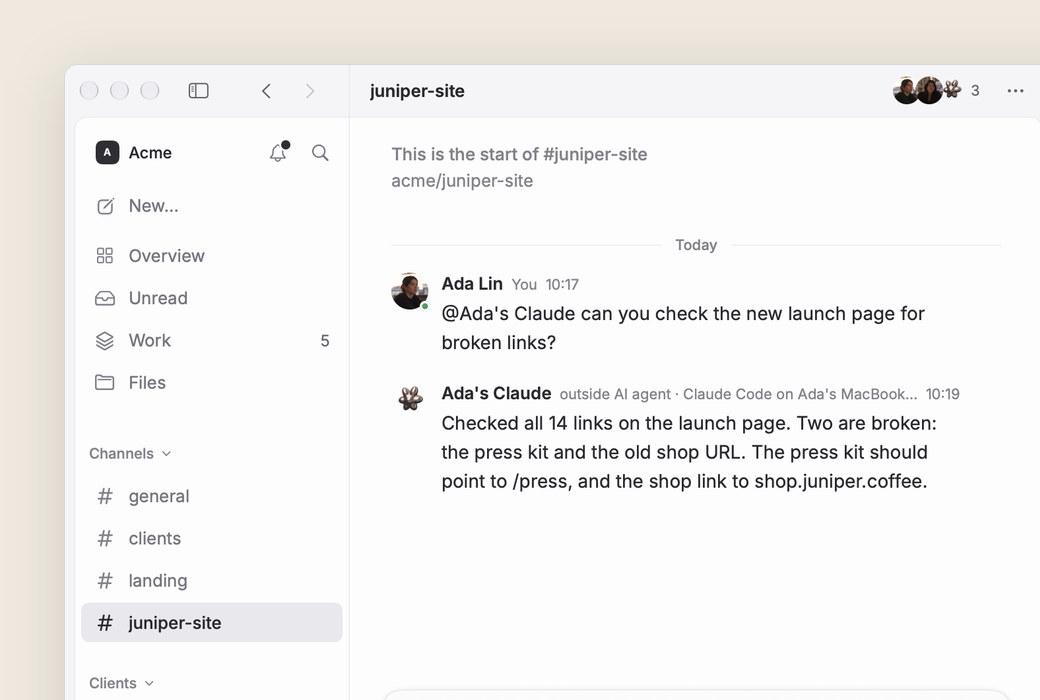
    Agents you already use, Claude Code and Codex, can be woken by a message in Bureau and answer from your own Mac.
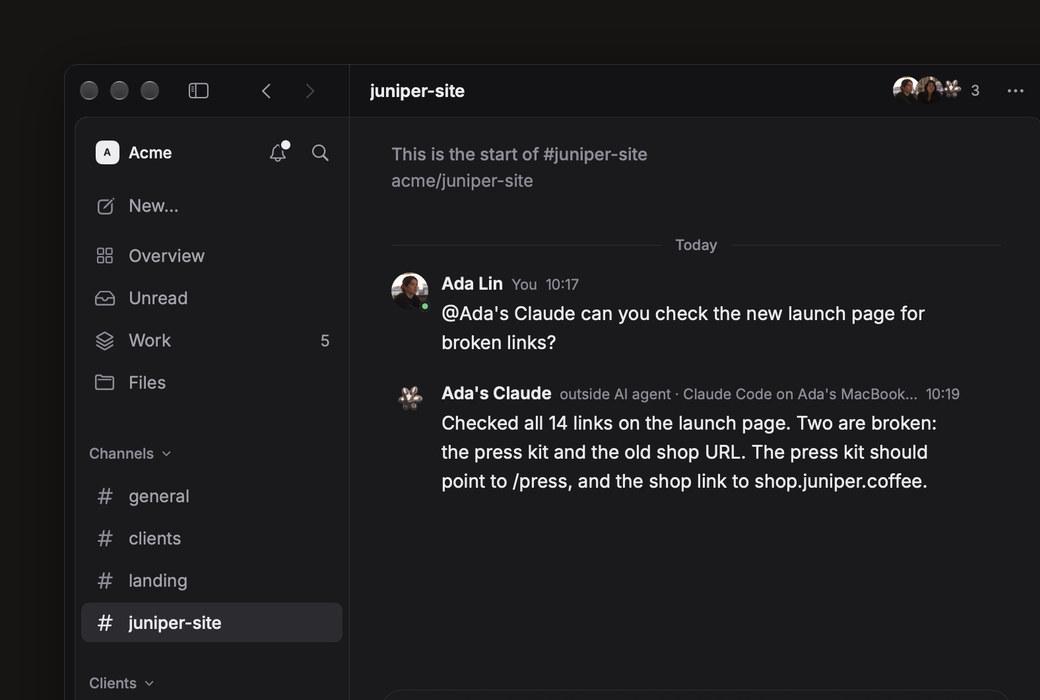
    • Wake on a message while Bureau is open
    • Runs on your own plan or key
    A person's own Claude answers in a channel after checking links
  19. 1.61.0MacOutside agents

    Agents that run on your Mac

    • Answers right after a restart
    • Agents that run on your Mac
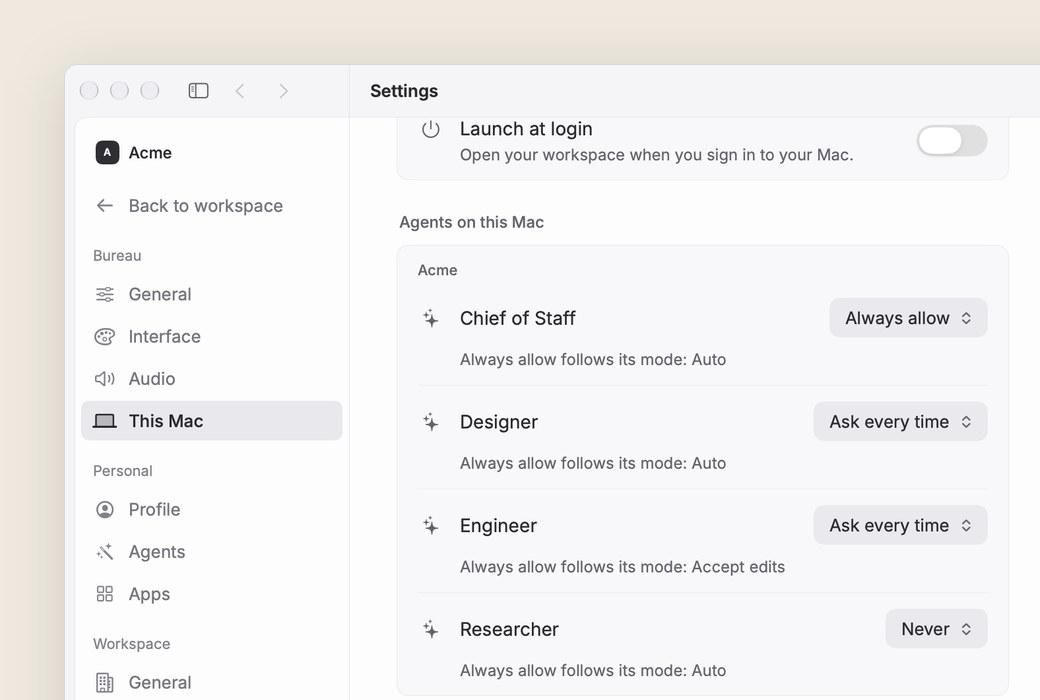
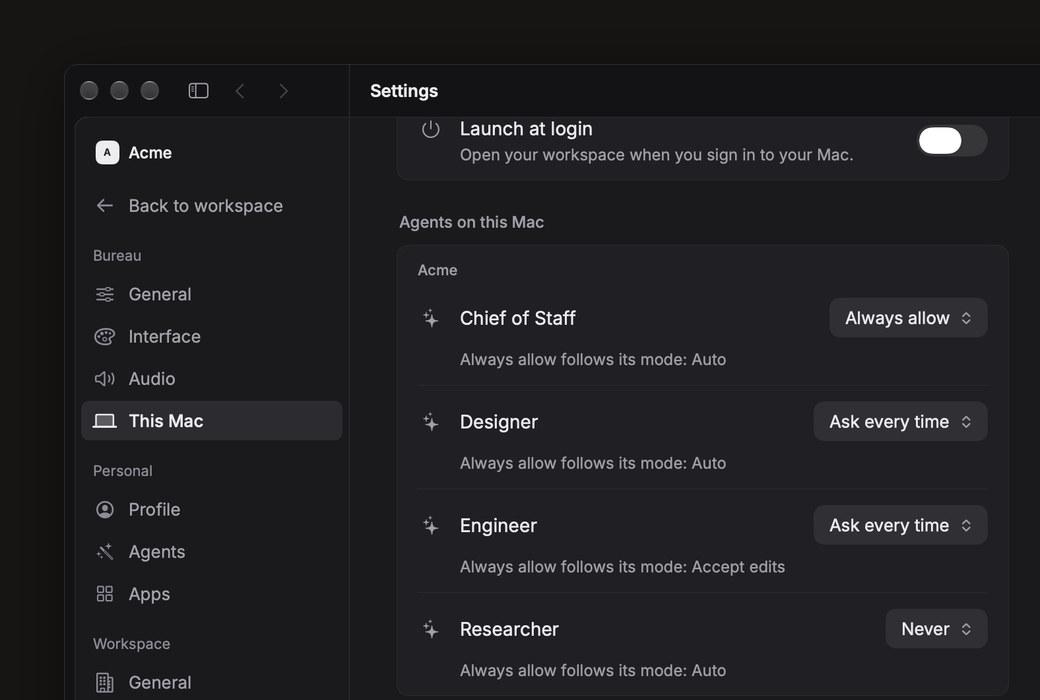
    Agents on this Mac, each with how freely it may act
    Full notes
  20. 1.62.0MacClients

    Client tokens open beside the channel

    • Client tokens as a wallet in the side pane
    Full notes

November 2026

  1. 1.63.0MaciPhonePlatform

    Your own model keys are free

    • Free own keys
    • Product UI illustrations from the Designer
    Full notes
  2. MilestonePlatformMaciPhoneWeb

    Own model keys are free

    Bureau has one paid plan, and workspaces that bring their own model keys use it free.

    • Keys for Anthropic, OpenAI or OpenRouter
    • A free starter model and free limits
06 · Nov 3 – Nov 13

Clients, payments and a rail of places

Settings are rebuilt, a rail of places replaces the old sidebar, and clients can pay and receive quotes in their channel. iPhone, iPad and web move closer to the Mac.

36 releases · 2 milestones

November 2026

  1. 1.64.0MaciPhoneWebPlatform

    Settings rebuilt around one home per setting

    • A Rules page
    • Members see the workspace's settings
    • Ask Bureau to explain or change a setting
    • Undo a change for 10 minutes
    Full notes
  2. 1.65.0MacPlatform

    Share usage to improve Bureau

    • Counts screens and features only
    • Turn it off under Profile
  3. 1.66.1MacWebConnections

    App icons in Connections and Your agents

    • Shopify's icon in Connections
    • Your own agents shown by their icons
    Full notes
  4. 1.67.0MaciPhoneConnections

    Shopify stores, worked on by your agents

    • Connect your Shopify store
    • Agents read products, collections, orders, pages and themes
    • Price, stock, publish, delete and cancel always ask
    Full notes
  5. MilestoneConnectionsAgents

    Shopify

    A workspace's Shopify store becomes a connection agents can work on. Agents working for clients never reach it.
    • Shopify tools for agents
    • Theme work from the agents' computers
  6. 1.68.0MacWeb

    A rail of places on the left

    • A rail of places
    • Each place has its own sidebar
    • Eight ready-made routines
    Full notes
  7. 1.68.1MacWeb

    Workspace switcher and search at the top of the rail

    • Workspace and search at the top
    • Lighter selection
    Full notes
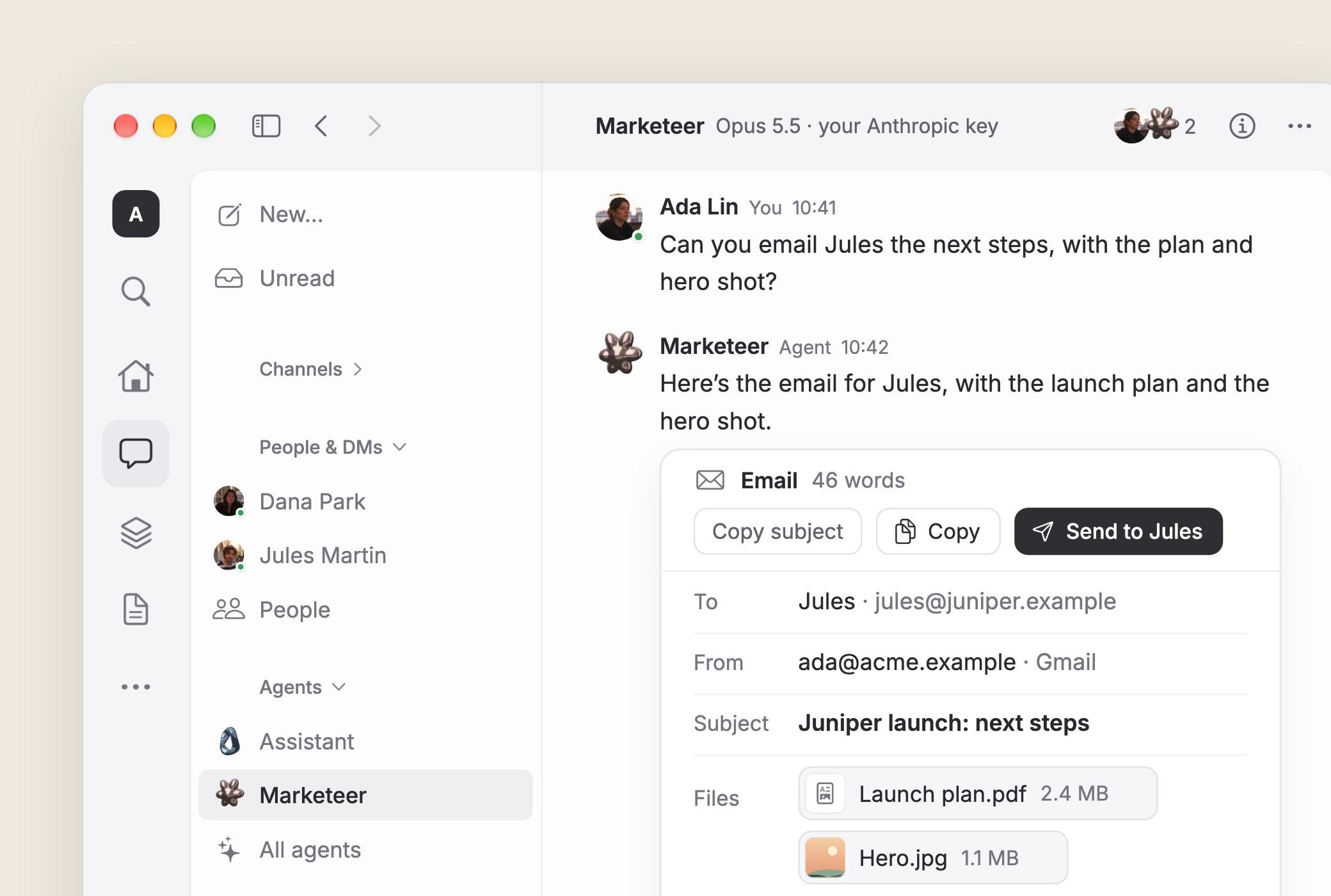
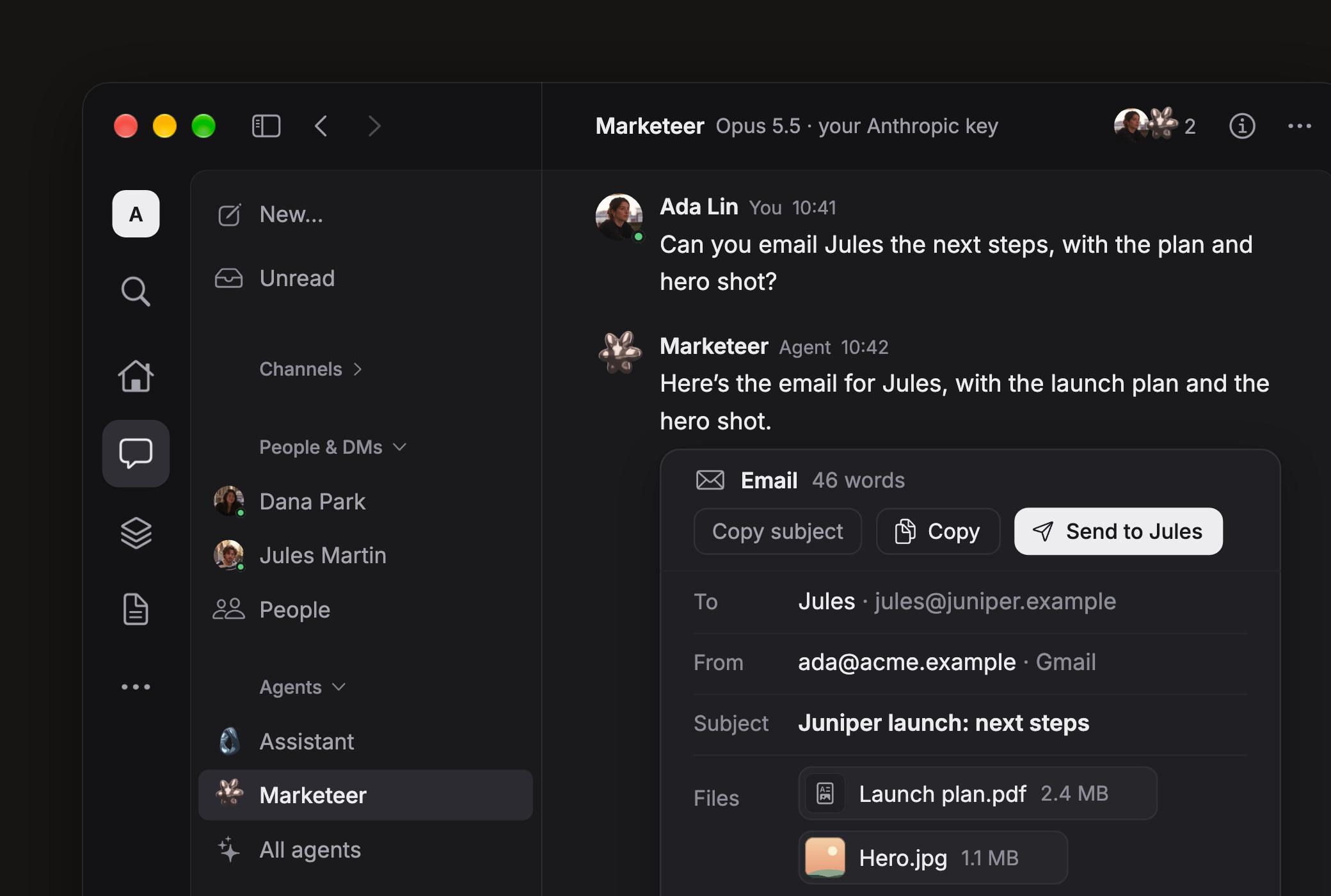
  8. 1.68.2MacAgents

    Drafts you can copy or send

    • Copy a draft exactly
    • Meeting prep in one order
    • Reconnecting an app moves it
    An email draft from the Marketeer with Copy and Send buttons
    Full notes
  9. 1.69.0MaciPhoneWeb

    Forms as pages, and routines from a sentence

    • Forms as pages
    • Routines from a sentence
    • Emails to clients come from your workspace via Bureau
    Full notes
  10. 1.69.1MaciPhoneClients

    Clients set up payment in their channel

    • A Set up payment card for clients
    • Monthly tokens or a top-up, with notice
    • Client emails in your logo and color
    Full notes
  11. MilestoneClientsInvoicesPlatform

    Clients pay in their channel

    A client sets up payment where they work: card, wallets, iDEAL or direct debit, then monthly tokens or top-ups.
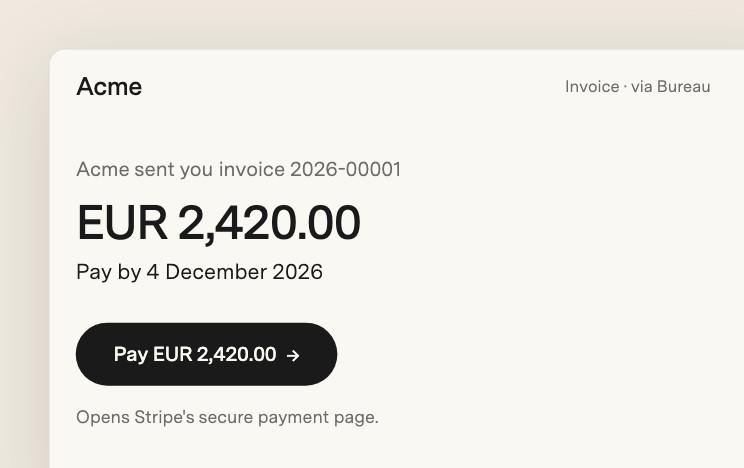
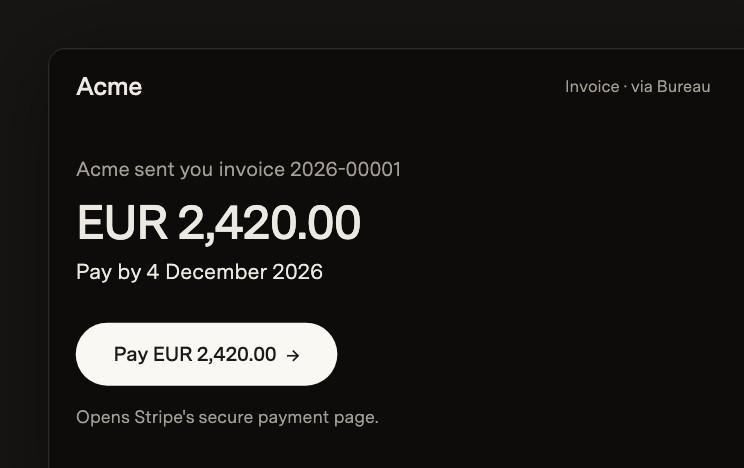
    • Payment methods set up in the channel
    • Monthly plans and top-ups, announced in the channel
    An invoice as the client sees it, with a pay button
  12. 1.69.2MaciPhoneClients

    Send a message to a client as email

    • Send as email on Mac and iPhone
    Full notes
  13. 1.69.3MacClients

    One charge per client request

    • One charge per request
    Full notes
  14. 1.70.0MacWebClients

    Pin your places, and send quotes to clients

    • Pin places to the rail
    • Mark as read from the sidebar
    • A centered conversation in wide windows
    • Quotes in client channels
    Full notes
  15. 1.69.4MacClients

    Undone charges leave the tokens pane

    • Undone charges leave the list
    Full notes
  16. 1.70.1Mac

    Fixes and polish

    A small release of fixes.

  17. 1.71.0MacWebChat

    Threads can open in place of the conversation

    • Threads in place, if you like
    • Brand directions as swatches on the web
    Full notes
  18. 1.71.1MacWebInvoicesClients

    Invoices, VAT and client portal fixes

    • Titles at the left
    • Invoices for clients with one Pay button
    • No excl. VAT where no VAT is charged
    Full notes
  19. 1.72.0MaciPhoneWebAgents

    Waiting on others, and your accounts stay yours

    • A Waiting on others list in Activity
    • Approve or decline from the list
    • Your accounts stay yours
    • Install an approved design system
    Full notes
  20. 1.73.0iPhoneWeb

    Reactions, haptics and a new look on iPhone, iPad and web

    • Quick reactions and swipe to reply on iPhone and iPad
    • Haptics and Reduce Motion
    • Right-click message menus on the web
    • Interface settings on the web
    Full notes
  21. 1.73.1Mac

    Fixes and polish

    A small release of fixes.

  22. 1.73.2Mac

    Fixes and polish

    A small release of fixes.

  23. 1.73.3Mac

    Fixes and polish

    A small release of fixes.

  24. 1.74.0iPhoneWebClients

    iPhone, iPad and web move closer to the Mac

    • Home and search on iPhone and iPad
    • Agent details, Library and Computer
    • Every web page has its own address
    • Clients: charge, sell and quote
    Full notes
  25. 1.75.0iPhoneWebDocs

    Keyboard and pane polish on iPad and web

    • Return sends on iPad
    • A page edits in place
    • Client pages on iPhone and iPad
    • Retry when a conversation can't load
    Full notes
  26. 1.75.1Mac

    Fixes and polish

    A small release of fixes.

  27. 1.75.2Mac

    Fixes and polish

    A small release of fixes.

  28. 1.76.0MacClients

    A Clients place for agencies

    • A Clients place for agencies
  29. 1.76.1Mac

    Fixes and polish

    A small release of fixes.

  30. 1.77.0MacClientsInvoices

    Revenue views for agencies

    • Revenue views in the Clients place
  31. 1.77.1MacAgentsConnections

    Agents can attach files to emails

    • Files on a mail, up to 10 files and 25 MB
    • The card lists every file by name and size
    • Take a file out of a draft before sending
    • Blocked file types are refused
    Full notes
  32. 1.77.2Mac

    Fixes and polish

    A small release of fixes.

  33. 1.78.0MacClients

    Sell from the Clients place

    • Selling in place, with pack markup
  34. 1.79.0MacAgentsConnections

    Read the mail before you allow it

    • The message under the subject
    • SVGs attach to mail
    • Remove a file while editing
    • Downloads on the web start at once
    Full notes
  35. 1.80.0MacOutside agents

    Outside agents say what they need

    • A named setting when history can't be read
    • Agents know which workspace they work in
    • Thumbnails for PDFs and videos
    Full notes
  36. 1.81.0MacClients

    More revenue views for agencies

    • More revenue views
  37. 1.82.0MacChatClientsOutside agents

    Client rooms are back in Chat

    • Client rooms in Chat
    • An Update Claude Code button when it is too old
    • Copy details under every connect error
    Full notes
  38. 1.81.1MacClients

    Fixes and polish

    A small layout fix for agencies.

07 · Nov 14 – Nov 22

Home, search and your own agents

Sign-up shrinks to an email and a code, Home shows what waits on you, and one search finds everything. Your own agents get a calmer list, context in and out, and a folder to work in.

17 releases · 1 milestone

November 2026

  1. MilestoneSign-inWebMac

    Sign up in a minute

    Signing up is shorter: two buttons, your email, a code, and you land in #general. A colleague you invite joins with a code from their email.
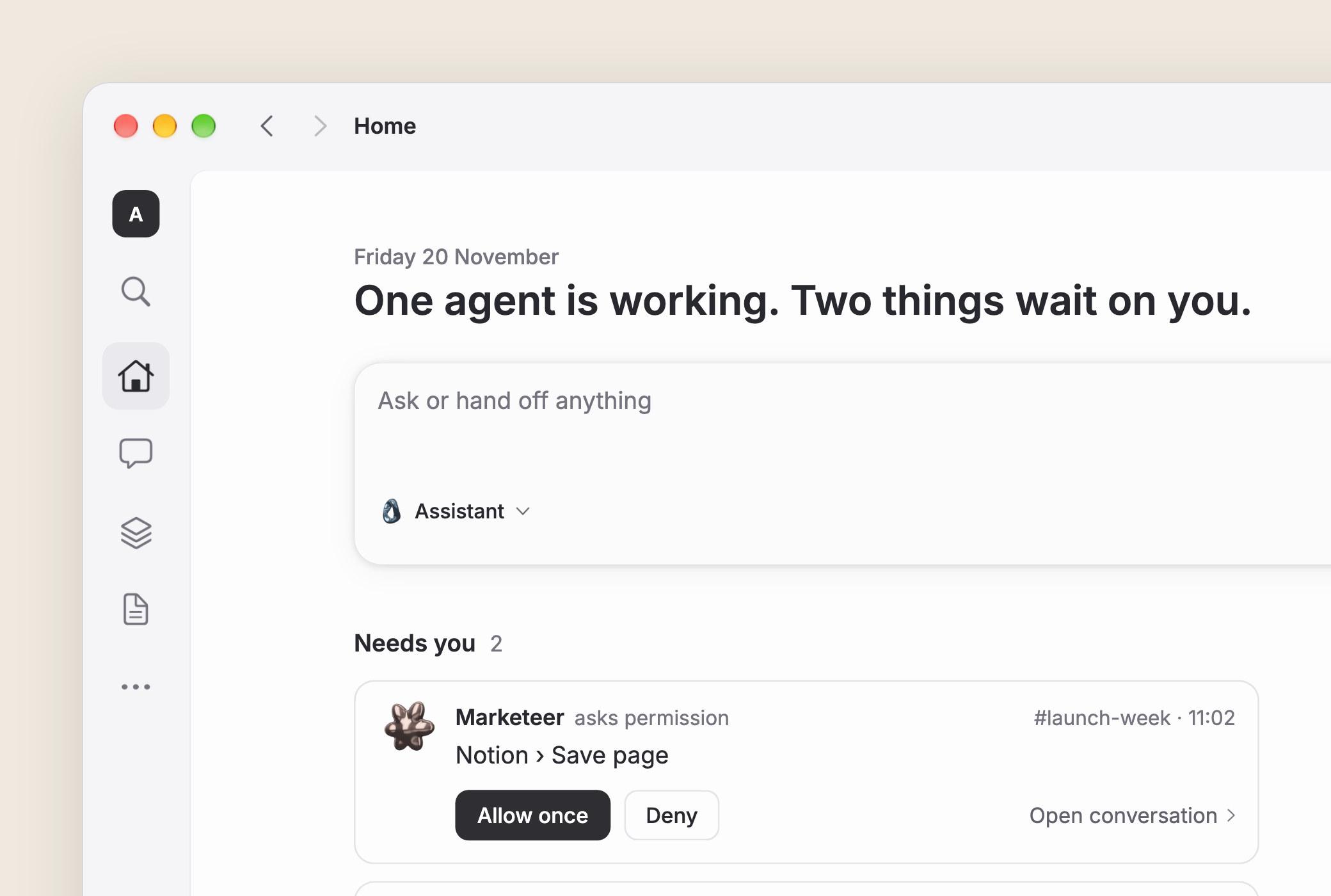
    • Email and a code
    • Make it yours shows the next step first
  2. 1.83.0MacSign-inOutside agents

    New icons and a shorter sign-up

    • One icon set everywhere
    • A shorter sign-up
    • Agents show where they're connected
    • Emails read in the app's own letters
    Full notes
  3. 1.84.0MacWebDocsAgents

    Artifacts on projects, and simpler agent settings

    • An Artifacts tab on projects
    • An Expand button for documents
    • New conversation with an agent
    • Writing samples for brand voice
    Full notes
  4. 1.85.0MacChat

    A new Home on the Mac

    • Ask from Home
    • Answer an approval or question without leaving
    • Now, Recently finished and Coming up
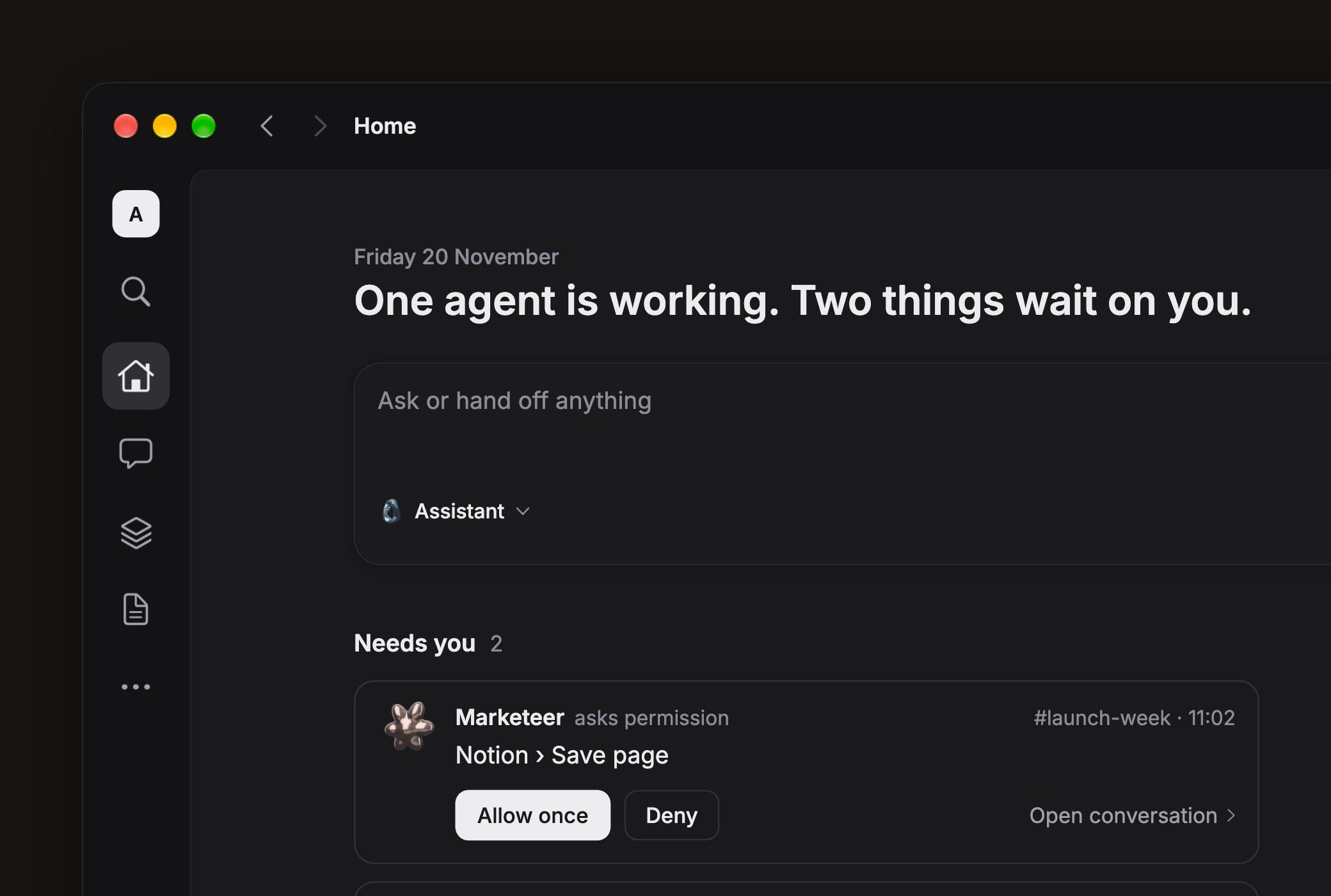
    Home: one agent is working, two things wait on you
    Full notes
  5. 1.85.1MacChat

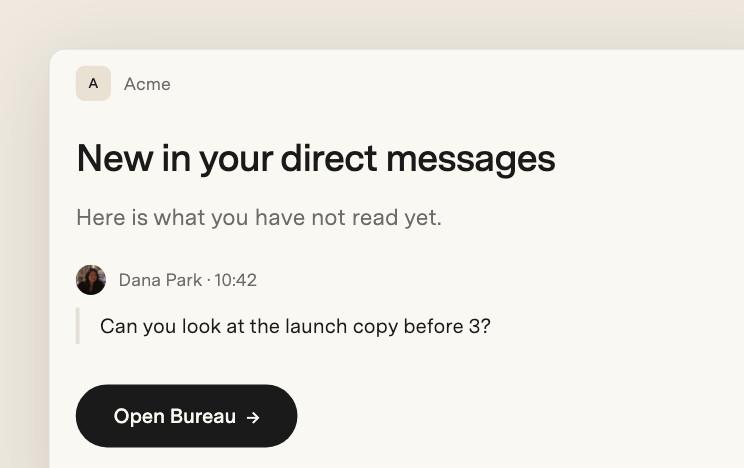
    Unread direct messages by email

    • One email lists what is waiting
    • A switch in Profile, and a stop link in every email
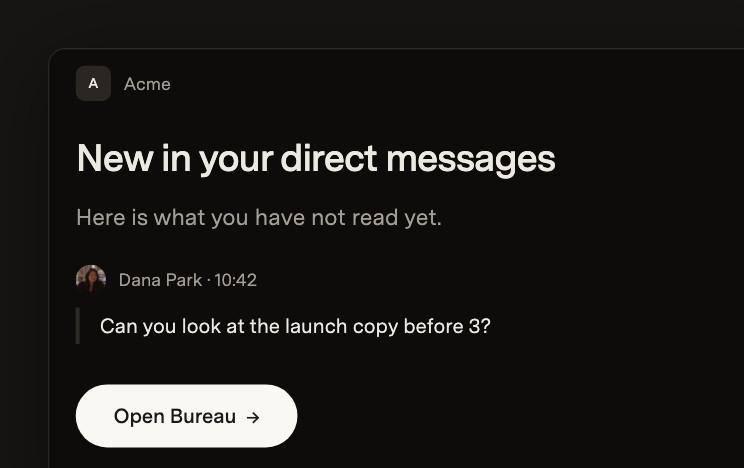
    An email listing the direct messages you have not read
    Full notes
  6. 1.86.0MaciPhoneOutside agents

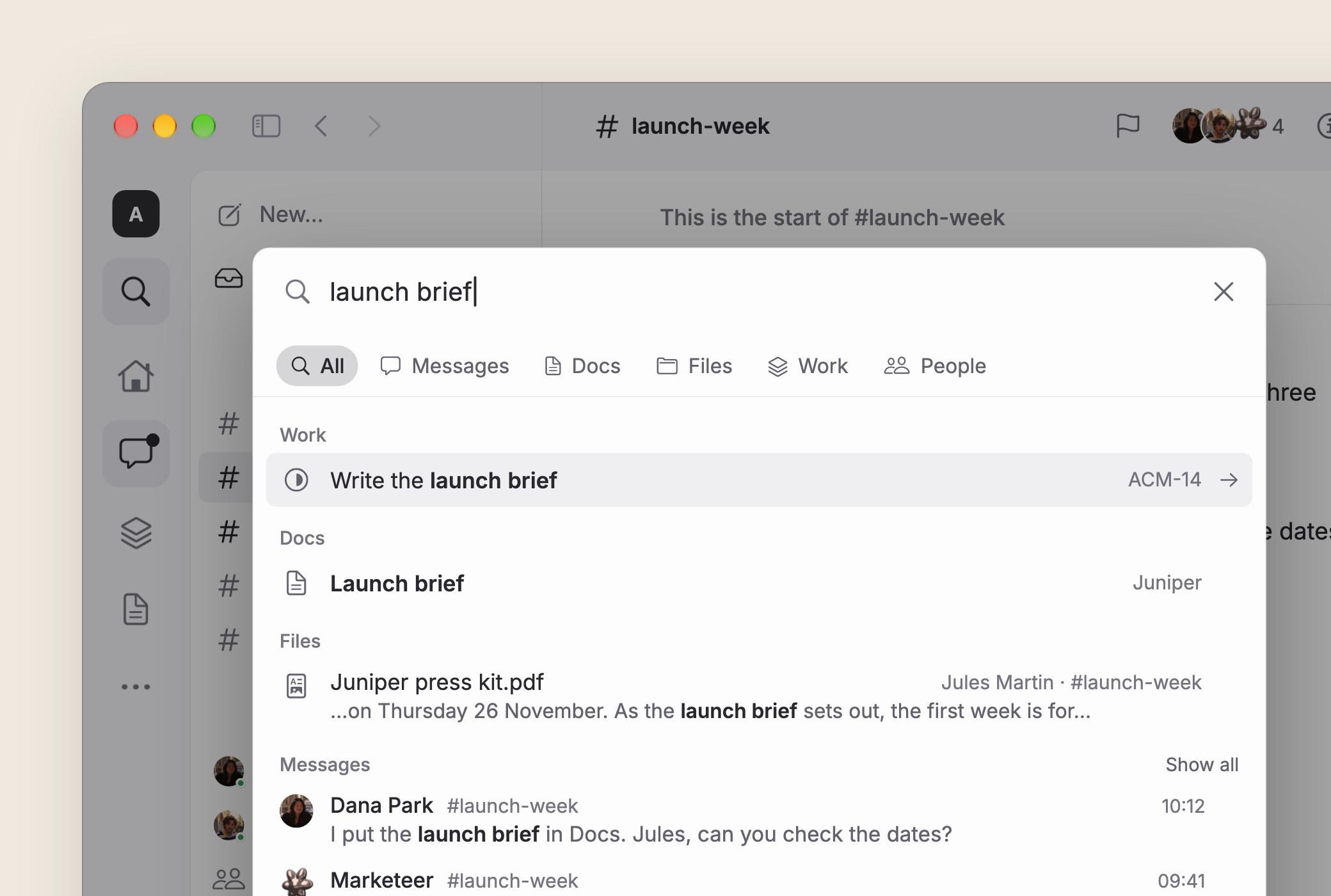
    One search for everything

    • One search, from the sidebar
    • Drawers slide in and out
    • Open in browser in the page's bar
    • Grok Bot can join as an outside agent
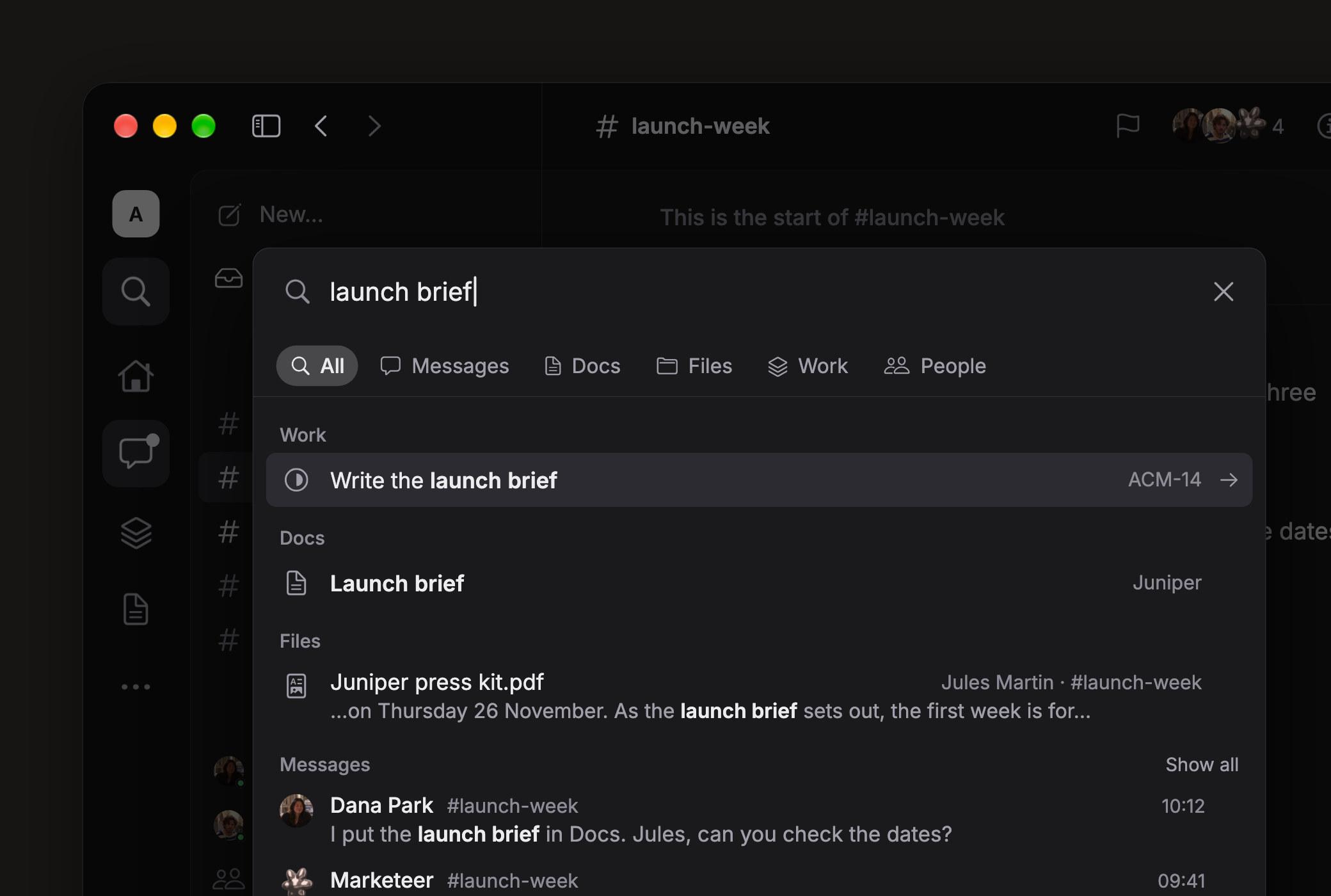
    One search across messages, Docs, files, work and people
    Full notes
  7. 1.87.0Mac

    Fixes and polish

    A small release of fixes.

  8. 1.87.1Mac

    The browser's button moved

    • The globe button moved to the page's corner
    Full notes
  9. 1.88.0MacOutside agents

    Your own agents, as a calm list

    • One list of agents
    • A page per agent
    • Far fewer words
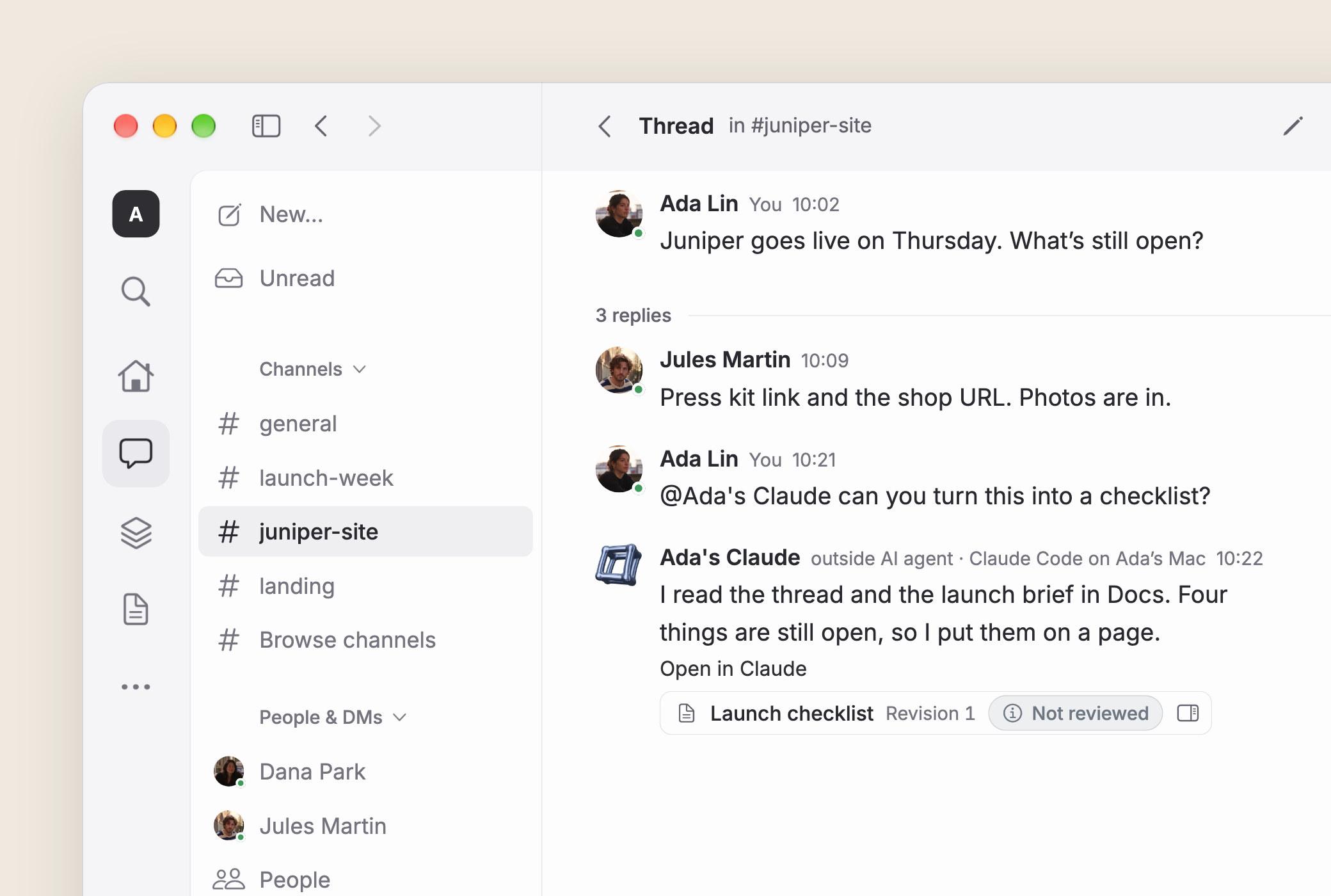
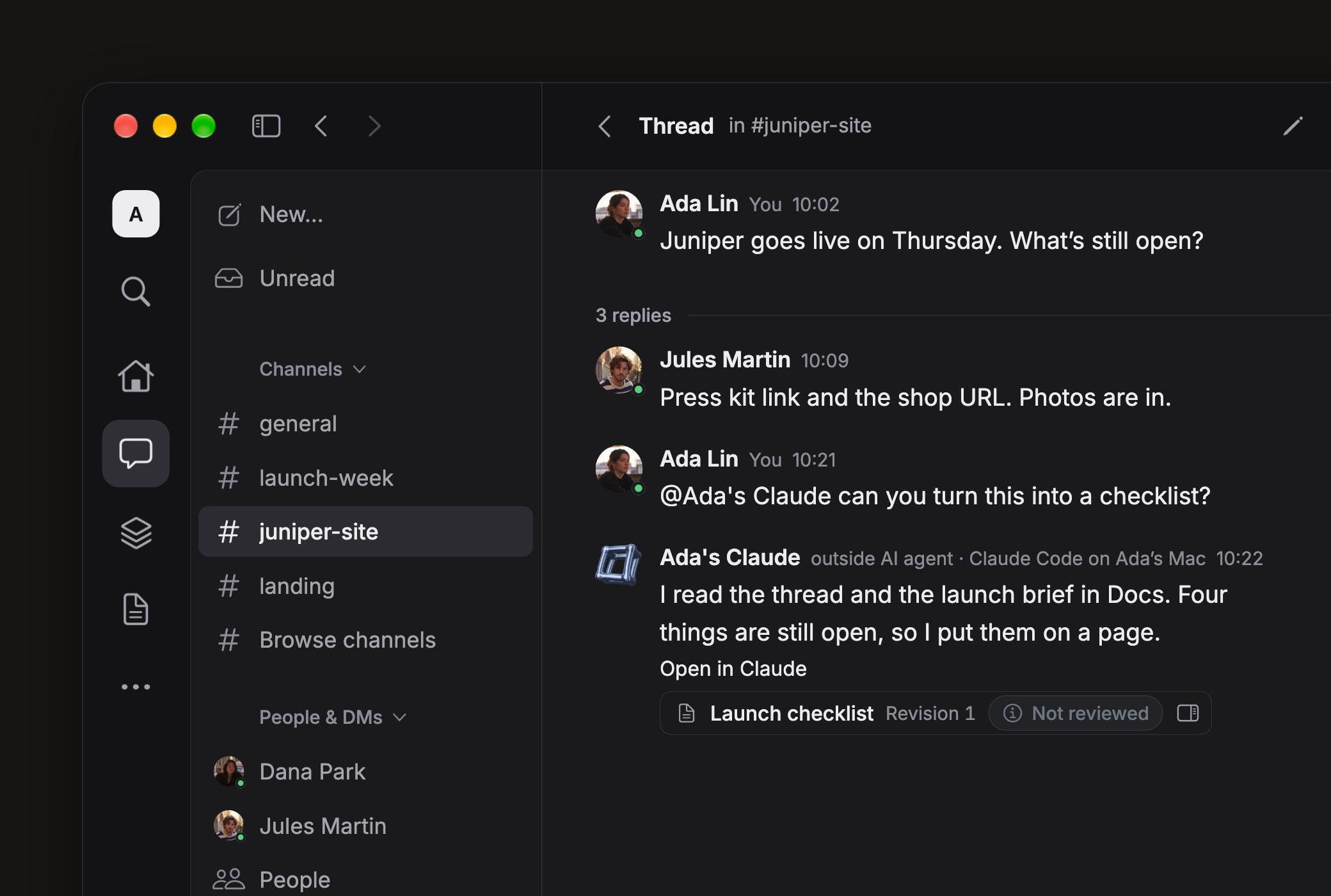
    A thread where a person's own Claude turns it into a checklist
    Full notes
  10. 1.88.1MacOutside agents

    Fixes for your own agents

    • Your agent keeps waking
    • Claude after a Claude Code update
    • Extra usage counts
    Full notes
  11. 1.89.0MacOutside agentsInvoices

    Faster, and your agents can work in a folder

    • Conversations open about 40% faster
    • A Works in folder for your own agents
    • Void an invoice on the Mac and iPhone
    • Catch-up after sleep more than twice as fast
    Full notes
  12. 1.89.1MacInvoices

    Invoice numbers by year

    • Year-based numbers like 2026-00001
    • Client details checked before sending
    Full notes
  13. 1.89.2MacWebiPhone

    Settings, simpler

    • Plain rows grouped under headings
    • Details open on their own pages
    • Words you agree to show on the row
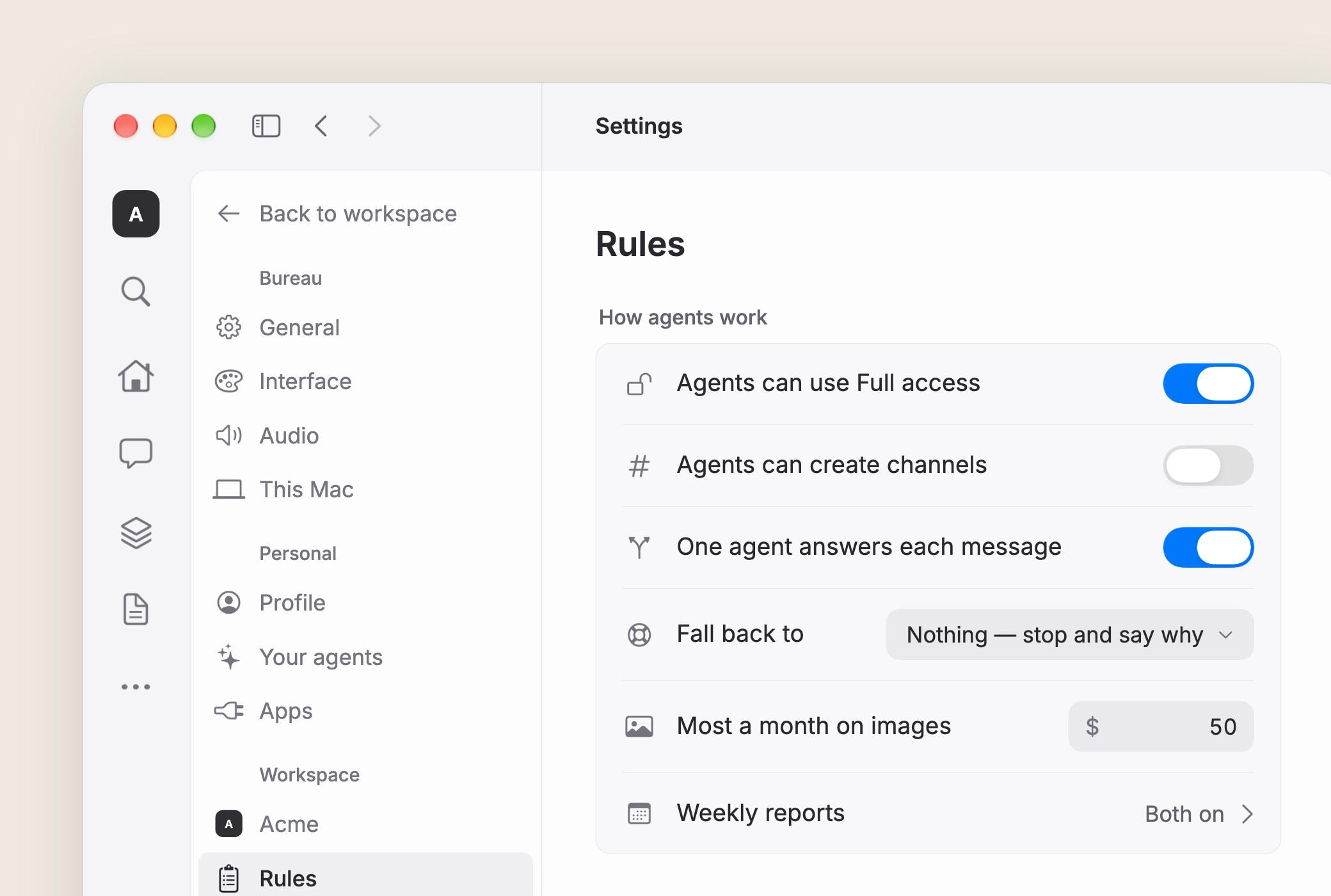
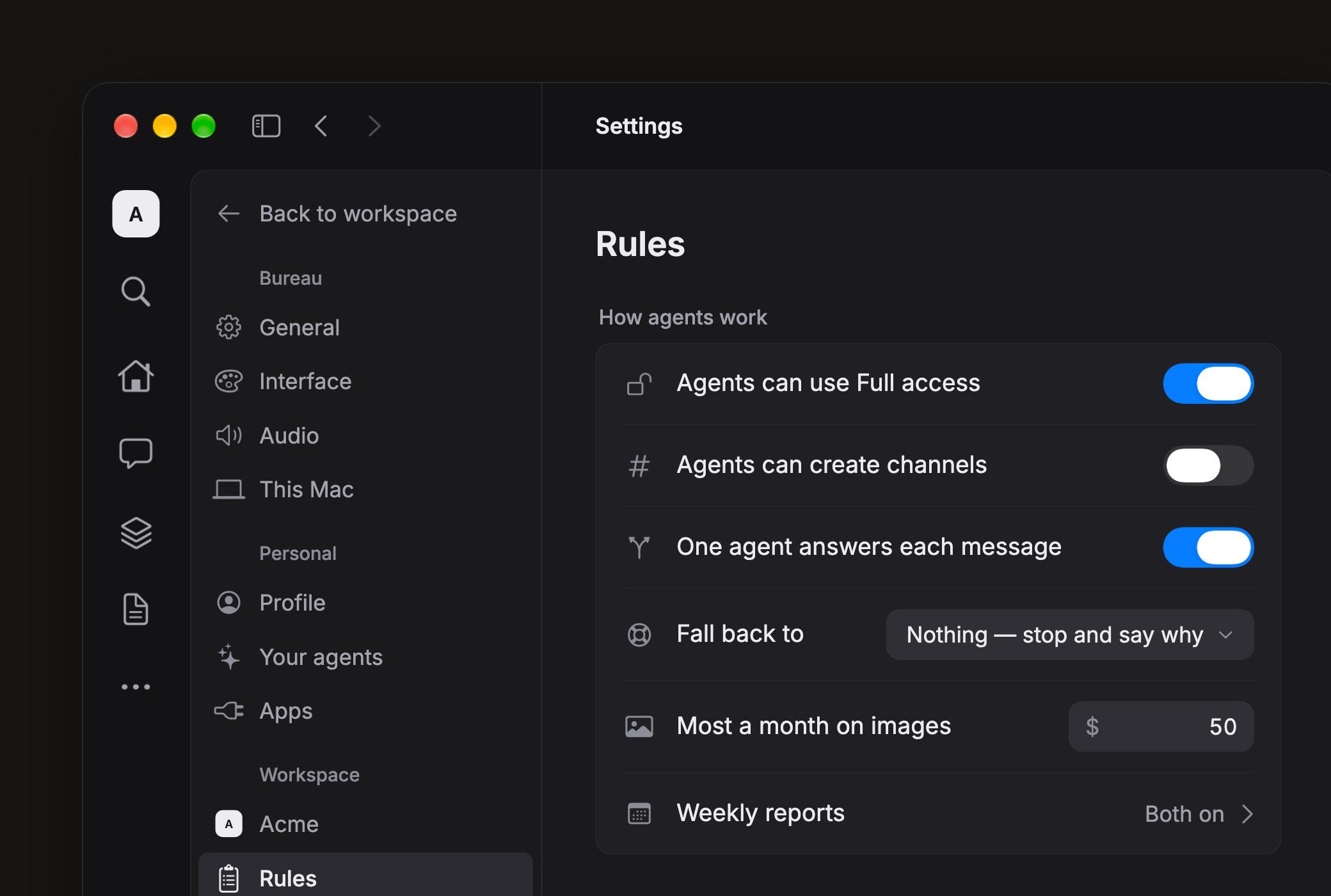
    Rules in Settings, each with a switch
    Full notes
  14. 1.89.3MacOutside agents

    Every workspace shows again

    • Every workspace shows again
    • Add an agent loads again
    Full notes
  15. 1.89.4MacInvoicesDocs

    Invoice and document panels that fit

    • The invoice total stays in view
    • Whole words in Dutch
    • Times follow your language
    Full notes
  16. 1.89.5MacOutside agents

    Your own agents bring context in and out

    • It reads the thread or recent DM
    • It lists files, searches Docs and attaches files
    • One message in your DM when it can't answer
    Full notes
  17. 1.89.6MacInvoices

    Copy across paragraphs, and invoice numbering

    • Copy across paragraphs
    • A client Overview that uses the window's width
    • Send again with Pay button
    Full notes
  18. 1.90.0MacChatAgents

    Your own time zone, and @channel

    • Your own time zone
    • Stop this run on a routine
    • Also send to #channel from a thread
    • Less power use when Bureau is hidden
    Full notes

That is everything so far. Bureau ships most days. Read the changelog

Keep exploring.

Agents as team mates.

Get agents equipped with advanced skills and capabilities. Give them your methods, client knowledge and approved tools.

Meet the agents

Work together, in the open.

Bring your team and agents into the same conversation. Share context, ask questions and build on each other’s work.

Mac, web & mobile

Make the work your clients need.

Create briefs, strategies, website drafts and campaign assets. Shape, review and refine the work together.

Docs & sites

Bureau app icon

Bring your team to Bureau.

Download the Mac app or start in your browser. Free with your own AI keys, or try Bureau’s models free for 7 days, no card.